September 24, 2026
Workflows That Fill In Your Own Templates
When you build a custom workflow, you can now attach the Word, PowerPoint, or Excel template you want GovEagle to populate. Each run fills in a copy of that file instead of producing a GovEagle report, and keeps your template's layout. The finished document opens in GovEagle, so you can review and edit before you download it.
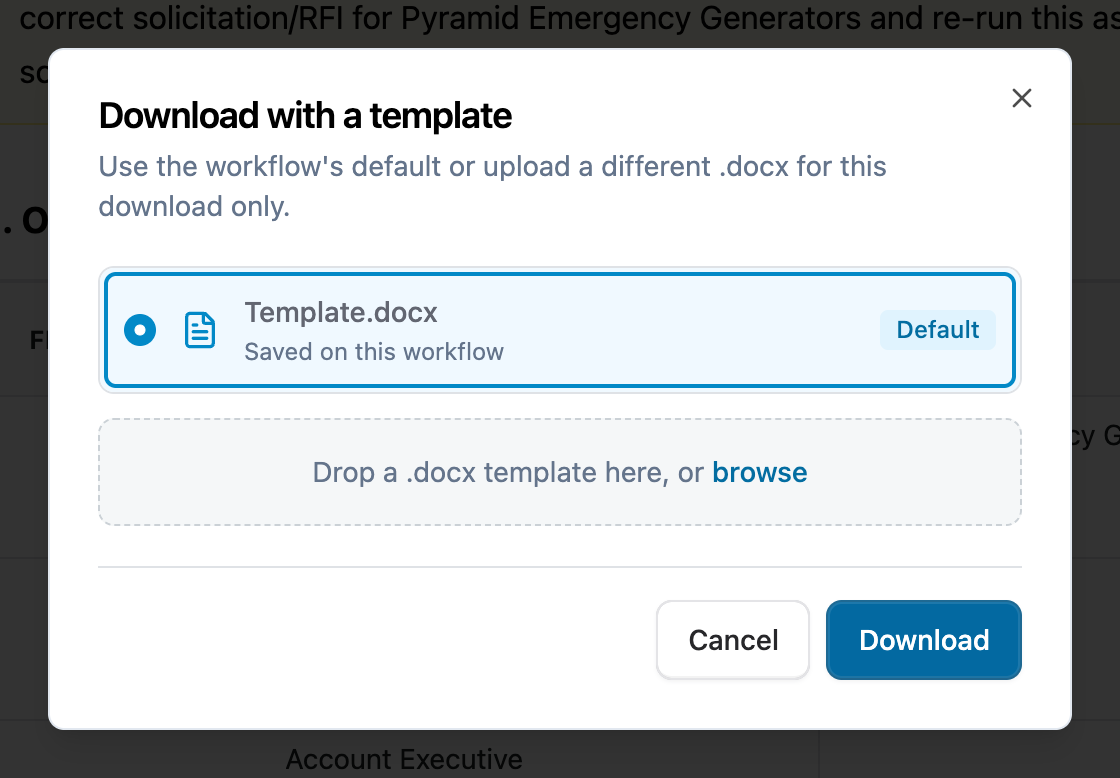
Pick the image style. For image sections in a custom workflow, choose between a clean vector diagram and an AI-generated image.
Edit diagram text in place. Click the text inside a diagram in a workflow report to change it.
Our help center has more on building and running workflows.
DoD Solicitations from PIEE in Opportunity Search
Some DoD solicitations are posted to Procurement Integrated Enterprise Environment (PIEE), the Department of Defense's (DoD) procurement system, and are easy to miss if you only watch SAM.gov. Your bid agents now read public PIEE solicitations every day alongside SAM.gov, GSA eBuy, and GovWin, and recommend and score them the same way, so DoD work shows up in the same list as everything else.
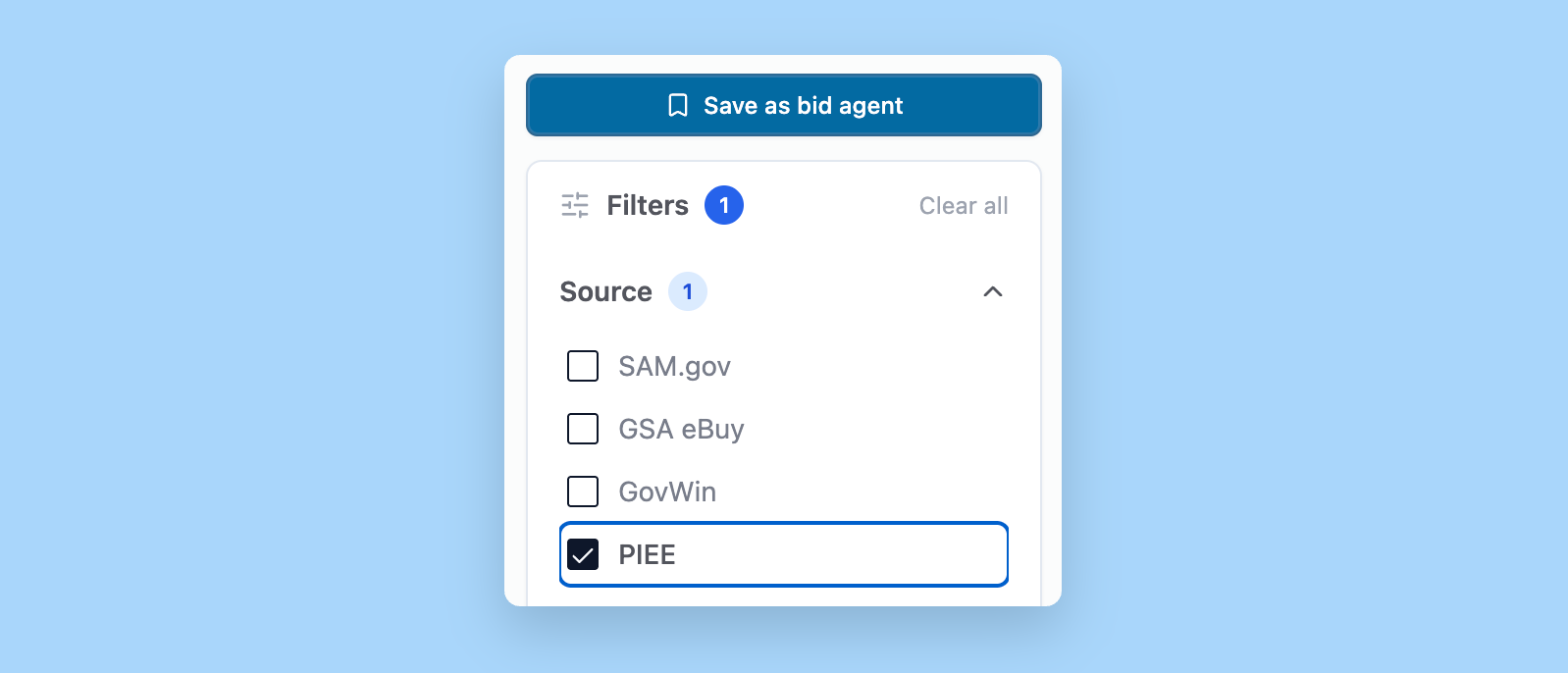
Filter by source. Check PIEE under Sources to see only PIEE solicitations.
DoD details at a glance. Each PIEE match shows its solicitation type and the contracting office's DoD Activity Address Codes (DoDAAC).
Attachments come with it. Solicitation attachments are pulled into GovEagle along with each notice.
Opportunity Search is available in beta. Email support@goveagle.com to get access. You can read more about working with Opportunity Search in our help center.
Your Teams Conversations, Saved on the Opportunity
A lot of capture work gets discussed in Teams, and until now those conversations stayed there. Link a Teams channel to an opportunity and GovEagle adds the channel's messages to the opportunity's Activity tab as notes. Each note shows who posted it, the reactions, and any replies under the original message, with a link back to Teams. Because the notes are saved on the opportunity, you can ask GovEagle about them: "What did we decide about the teaming partner last week?"
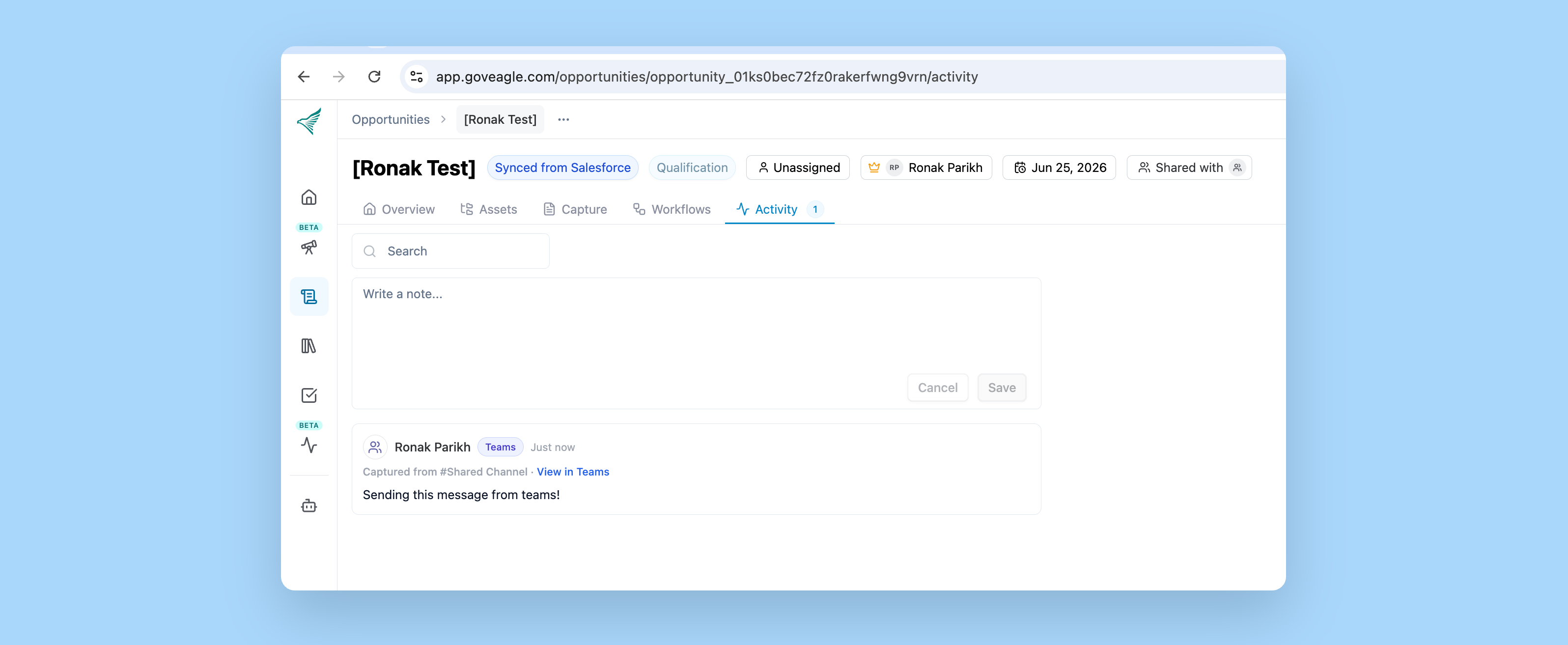
Choose what gets captured. Capture every message in the channel, or only messages that @mention GovEagle.
Anyone who can edit the opportunity can link a channel from its Activity tab.
No new integration to install. Your IT admin turns it on once through your existing SharePoint connection.
Read-only. Nothing is ever posted back to Teams.
Our help center walks through setting up Teams message capture.
More Updates
Beta features are still being tested. If your team would like to try Beta features, email support@goveagle.com and we will enable them for your organization.
Custom Opportunity fields. Custom opportunity fields now appear in the Opportunities table and on Kanban cards, so you can see contract vehicle, incumbent, or recompete date for every pursuit without opening each one.
Opportunity Search learns from your feedback (Beta). When you disagree with a bid agent's call, GovEagle saves what you told it to your team's Opportunity Search memory and uses it to score future opportunities. Review and edit that memory under Settings > Opportunity Search.
Watchlist email reports (Beta). Send a watchlist's latest results to your team by email after its monitors run.
GovEagle can now read the screenshots and images you upload to your content library
Voice dictation now works in GovEagle's FedRAMP environment
August 20, 2026
Custom Workflow Builder
Build your own workflows with GovEagle. Teams now have more flexibility using GovEagle to create custom workflows that produce results at every stage of your growth lifecycle.
Click into an opportunity's workspace in the GovEagle web application, navigate to the workflows tab, and begin designing your custom workflow process.
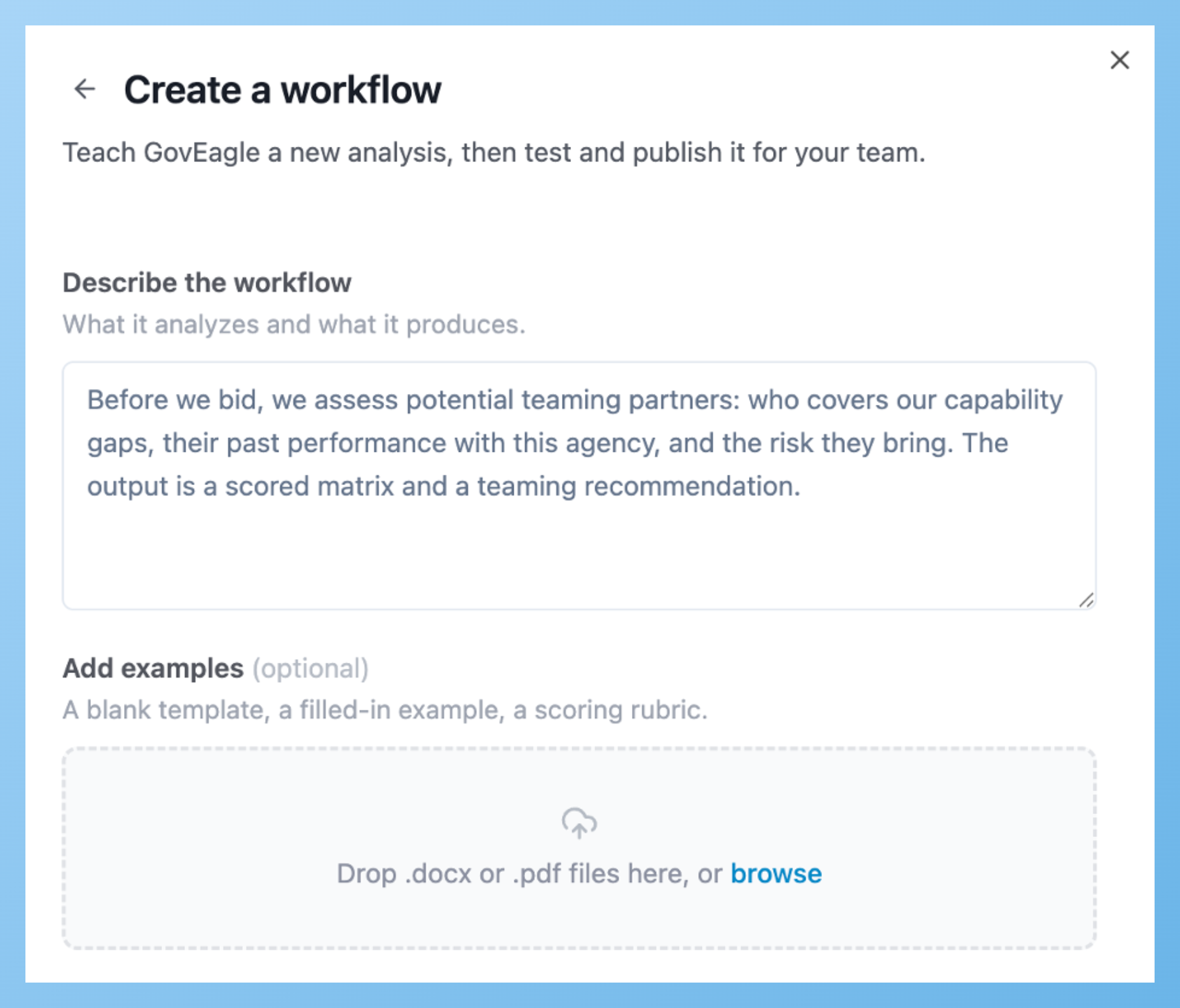
This feature is currently in beta (testing) and available to all users. We'd love to hear what you think, your feedback will directly shape where we take this next.
Default Organizational Prompts
Platform Admins can now set default prompts that appear above the chat interface, giving users a fast-starting point instead of a blank chat box. You'll spot them marked with a lightbulb icon, so they're easy to recognize and select at a glance.
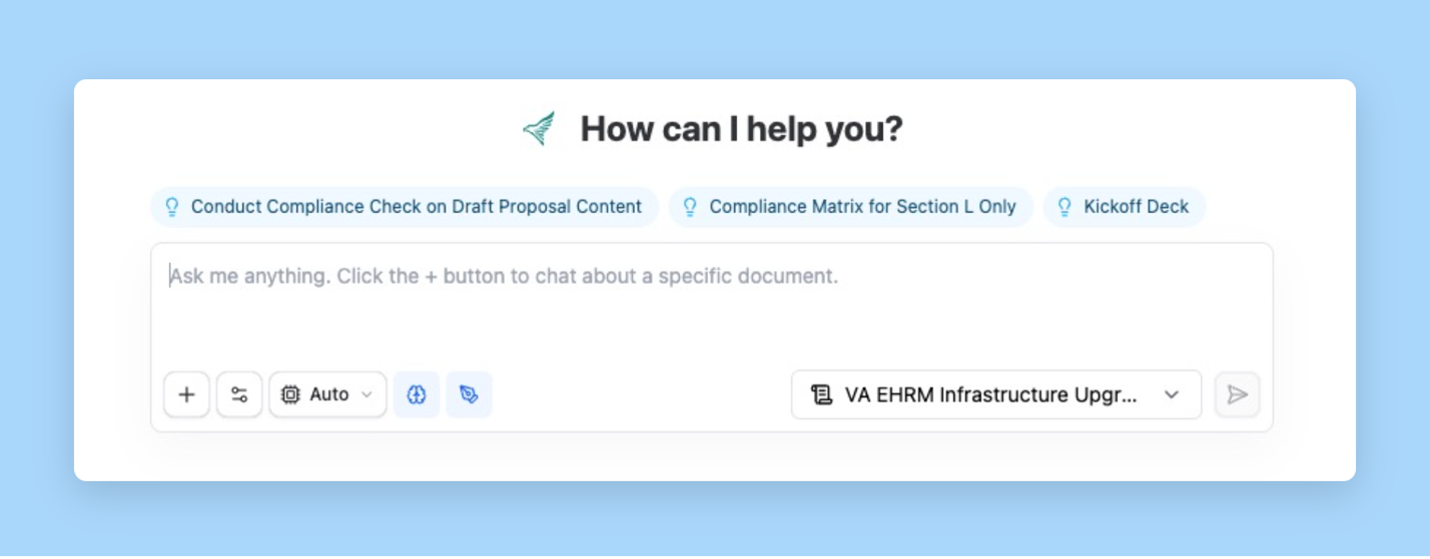
These prompts only show up for users who haven't yet starred their own favorite prompts, so anyone with personal favorites set will continue to see them. It's designed to help new users get started, without overriding preferences your power users have already set.
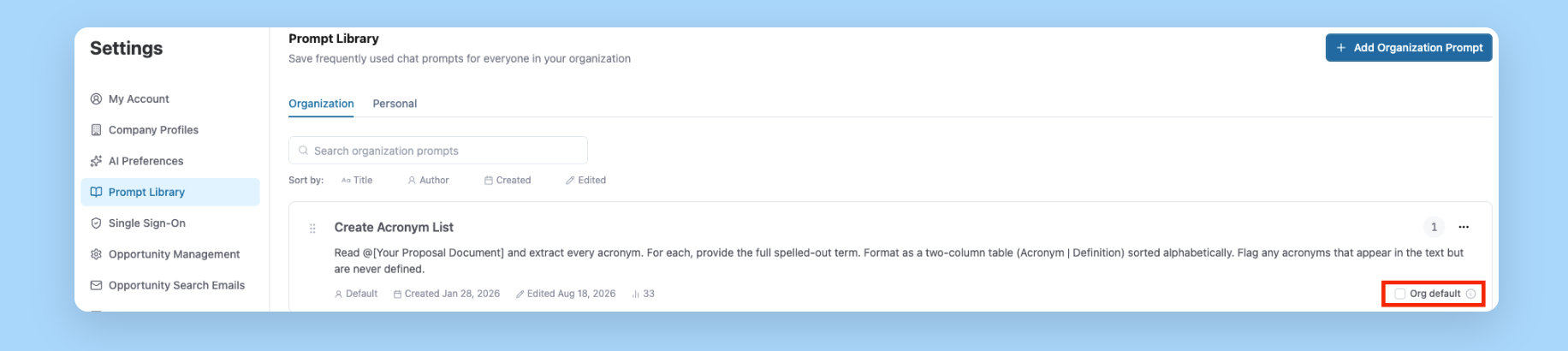
Platform Admins can set default prompts for their organization by navigating to Settings > Prompt Library and selecting the option in the bottom right corner of any individual prompt.
Tag-Based Content Scope Rules
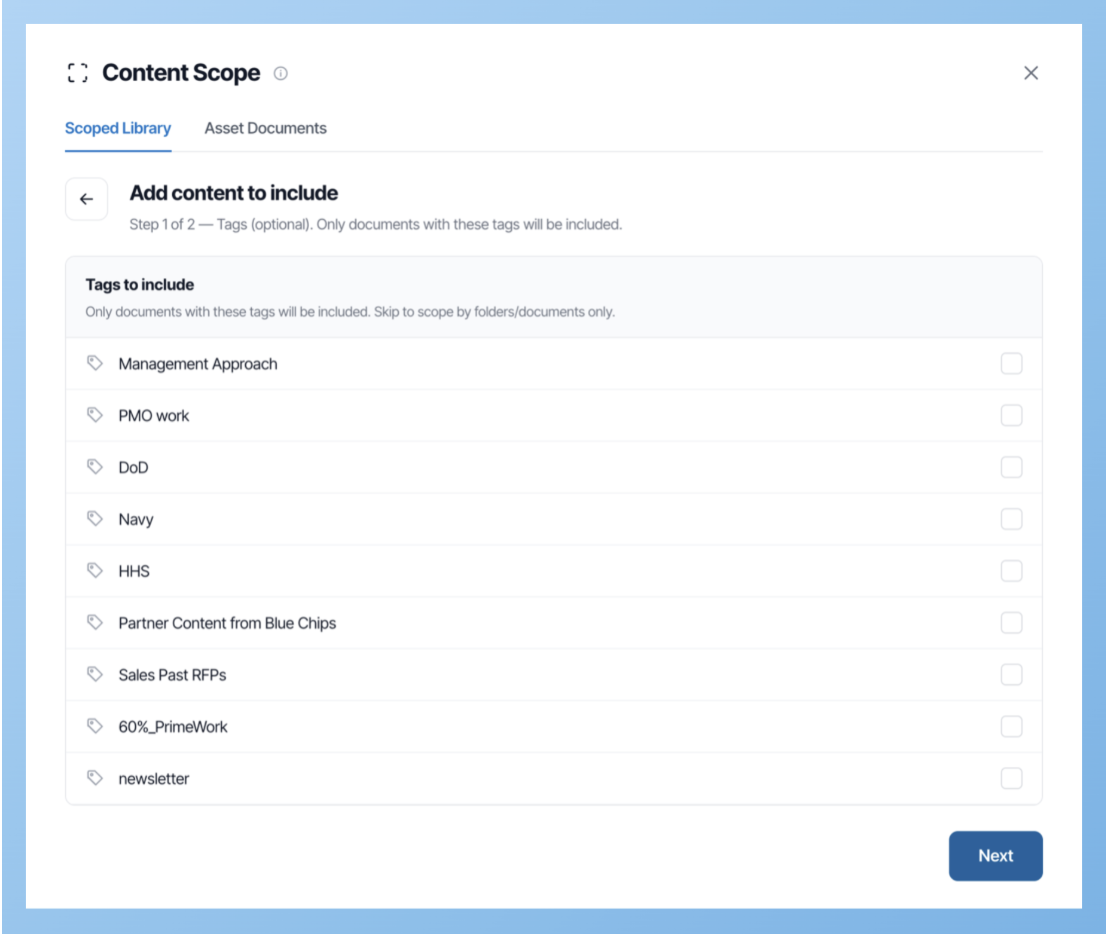
Opportunity content scoping just got more precise. You can now include or exclude knowledge resources by tags, giving you finer control over exactly what GovEagle uses when generating responses.
Duplicate File Handling During Upload
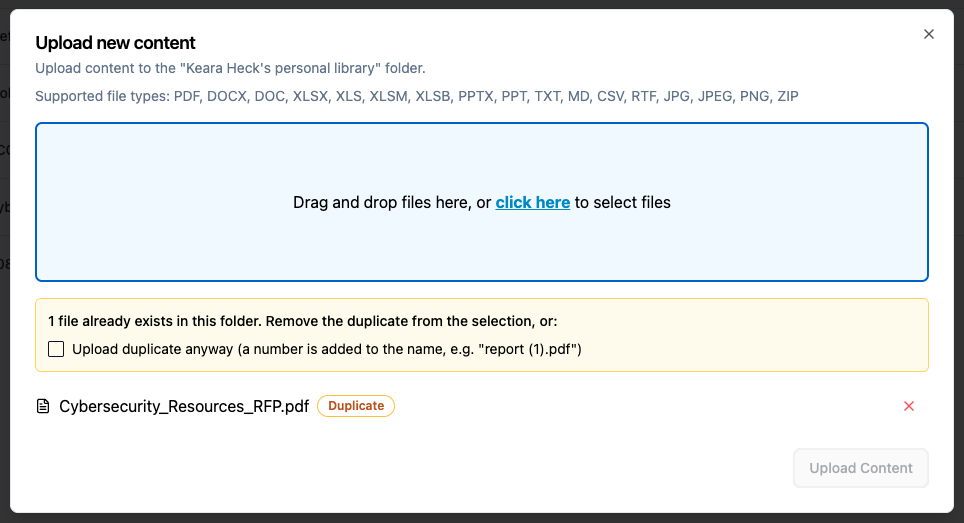
When uploading files to your content library, or manually uploading files to the assets tab, you now get to decide how duplicates are handled instead of the system deciding for you. Choose to keep both, replace the existing file, or skip the upload.
July 10, 2026
Deep Thinking is Now on by Default
.png)
Deep thinking is the same feature you already know, but now every new chat gets our deep thinking mode automatically. It's enabled by default across the web app and Microsoft add-ins, no setup required.
Organizations that prefer faster response styles can turn this off at any time. To turn off, go to the AI preferences settings page.
Improved @ Mentions for Faster File Access
.png)
We’ve made @ mentions easier to use in GovEagle chat and the Microsoft Word add-in.
When you open the @ mention file picker, your opportunity’s asset folders and documents now appear at the top of the list, making it faster to find and reference the files you are most likely working with.
We also improved the menu with clearer section names, including Assets, Solicitation, and Library, so it is easier to scan.
The @ mention file picker now also shows all files you have access to.
Previously, if Content Scope was set to include or exclude specific files, the @ mention picker would filter results based on that scope.
Now, the file picker shows everything you have access to, regardless of how Content Scope is set, across both the GovEagle web app and Microsoft Word add-in.
Content Scope still controls what the AI automatically searches. It just no longer limits what you can manually select using @ mentions.
Admins Can Now Deactivate (and Reactivate) Team Members
Instead of permanently deleting a user, admins can now deactivate them (blocking access immediately), and can choose to transfer their folders, tasks, and saved searches to another team member.
Navigate to Settings > Users > Select "Deactivate" by clicking the three-dot menu to the right of the user. This will give you the ability to select one of the following options:
Temporarily deactivate
Transfer personal files and folders to another user
Delete personal files and folders
Deactivated users can be restored later, and their historical activity remains intact.
Opportunity View Preference Saved
Prefer table view or kanban view? The Opportunities page now remembers the last view you used and automatically restores it the next time you visit. No more switching back to your preferred layout every session.
June 26, 2026
Brand new tasks
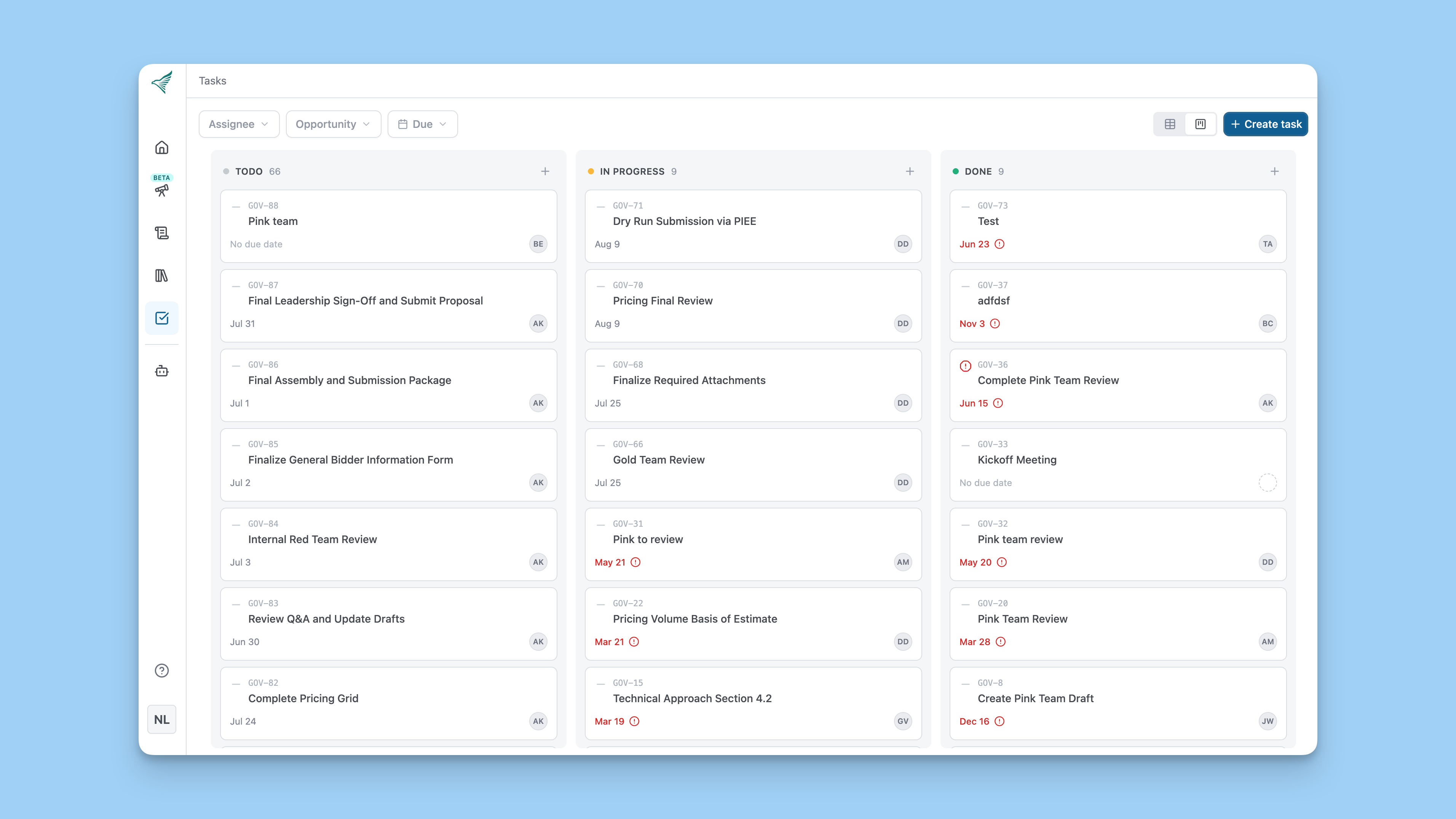
We've overhauled the entire tasks experience:
New table view and kanban board. Two ways to see your work, whether you prefer a structured list or a visual board you can drag tasks across.
Task activity tracking. Every task now has an activity section that logs changes, comments, and replies, so you always know what happened and when.
Manage tasks from chat. Create, update, and interact with tasks directly in the chat without leaving your conversation.
Custom task IDs. You can define a prefix for all tasks ("GOV-212") to help track and reference each task through completion.
Faster ways to add assets to chat
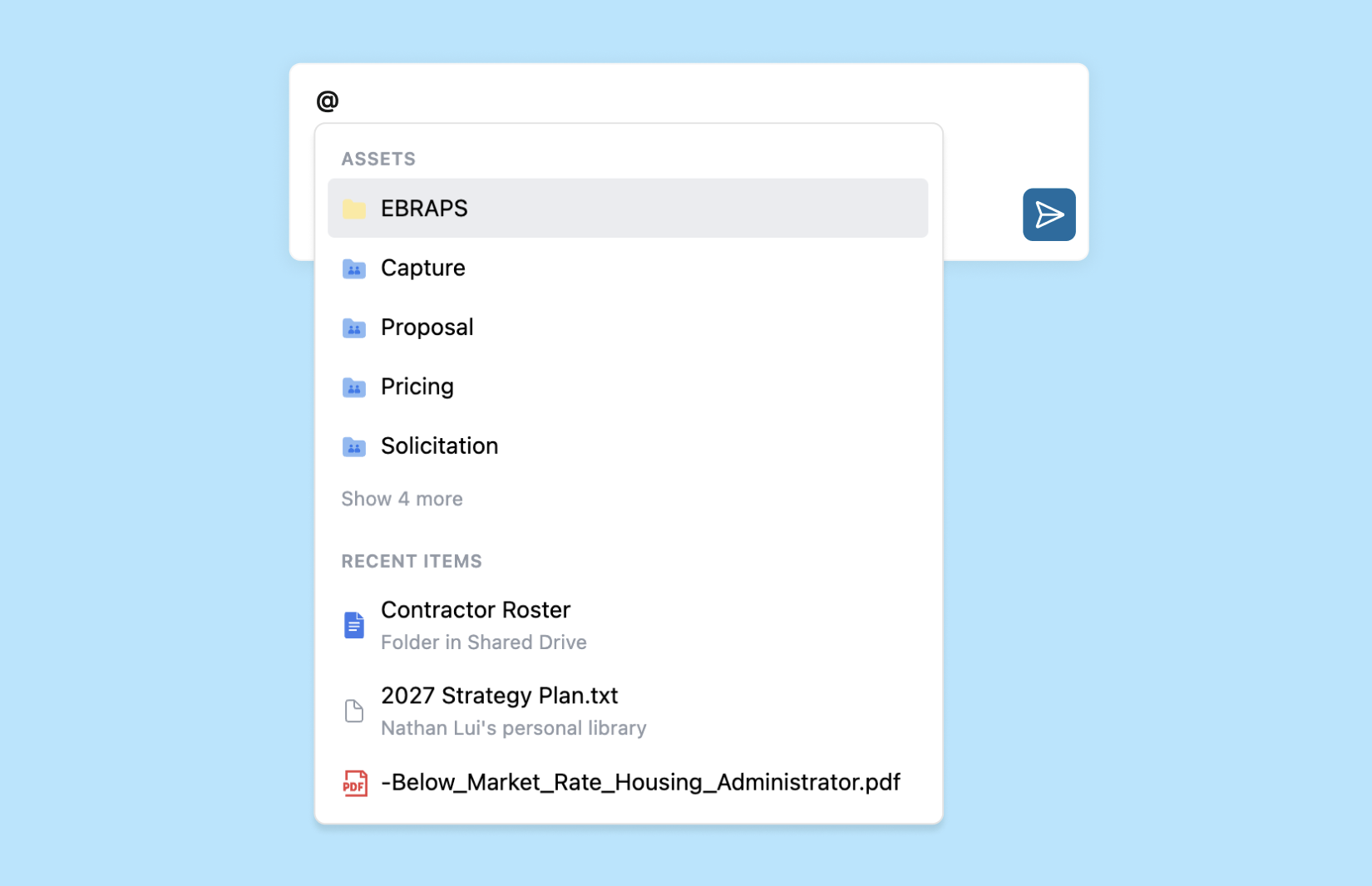
Adding assets to your chat context is now quicker. Newly added assets appear immediately in the @ mention menu (the dropdown that shows when you type "@" to reference documents) and are also selectable from the file and folder picker ("Search files, excerpts, and images").
New features on the opportunities page
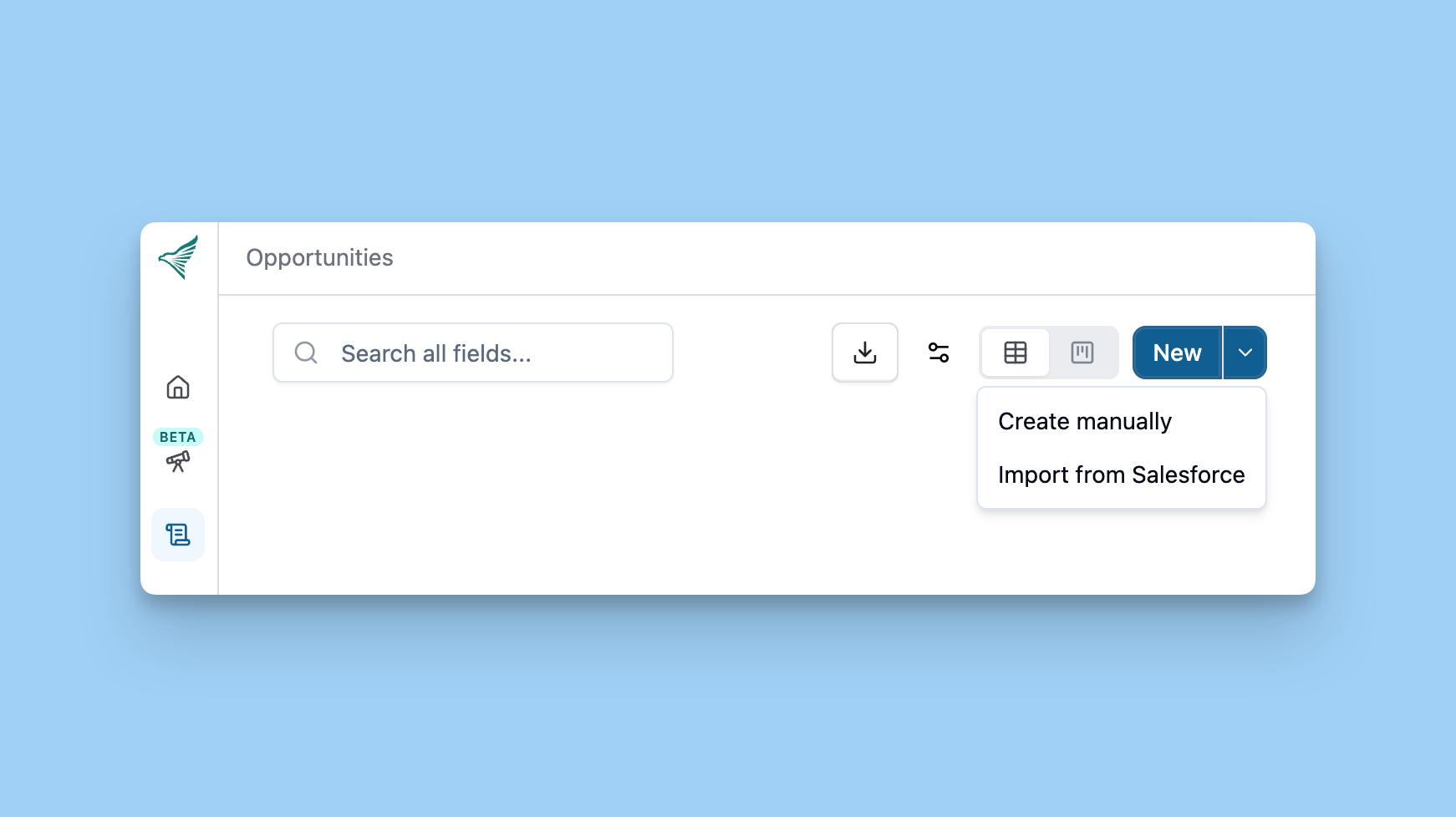
You can now create opportunities with custom fields from Salesforce and export your opportunities to an XLSX file. Learn how to set up a Salesforce integration in our help center.
Chat-only file uploads
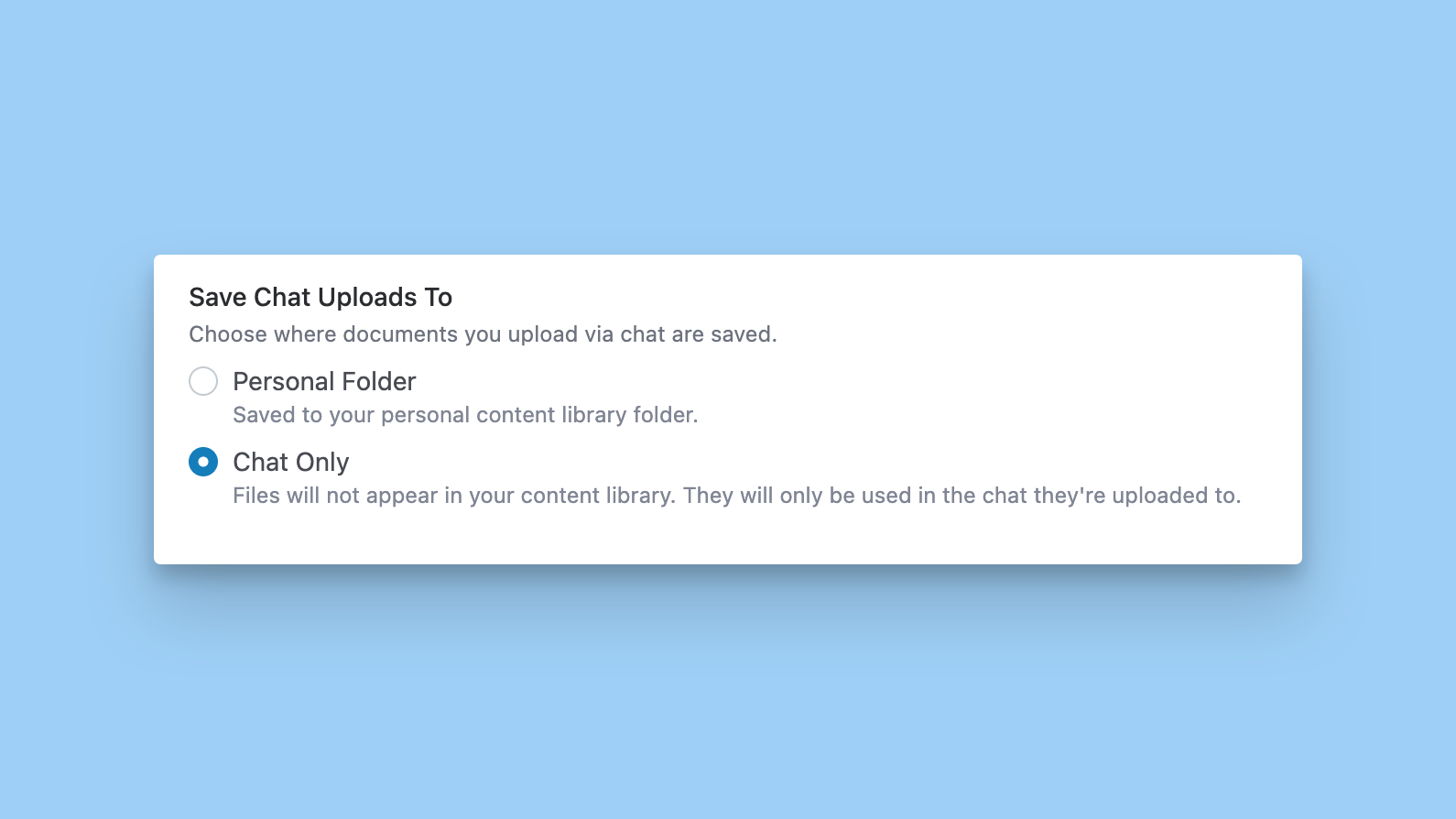
By default, documents you upload to chat go to your private personal folder. The agent can use these documents across all of your chats. Now you can also choose to keep an upload to a single chat instead, so it's available only in that chat, not in any of your other chats. Turn this on at this at Settings > My Account.
April 24, 2026
Enhanced editing in the add-ins: suggested edits, track changes, auto-update
We've made major updates to the way you can use our add-ins to read and modify your documents.
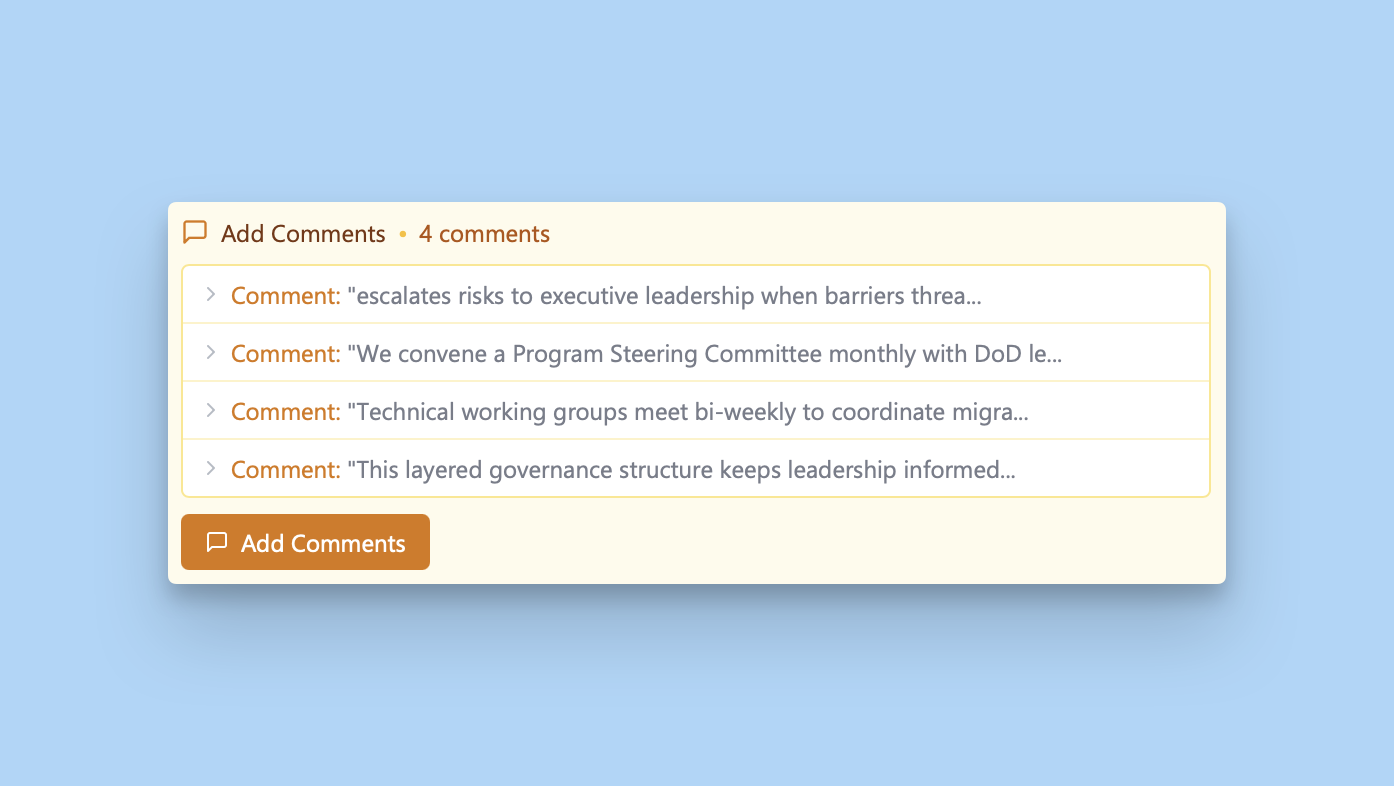
Comments: GovEagle can generate and insert comments into your document if you ask it.
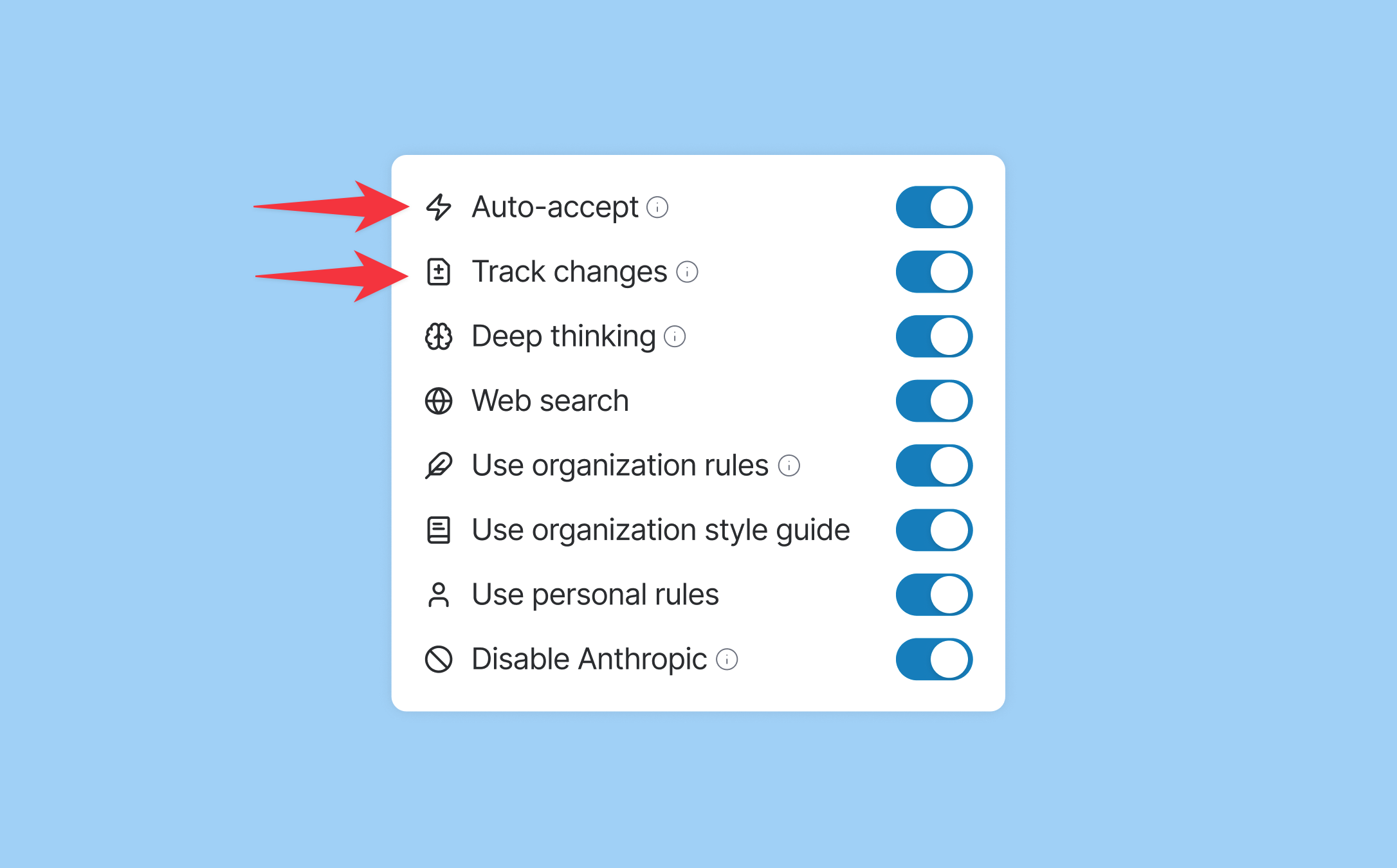
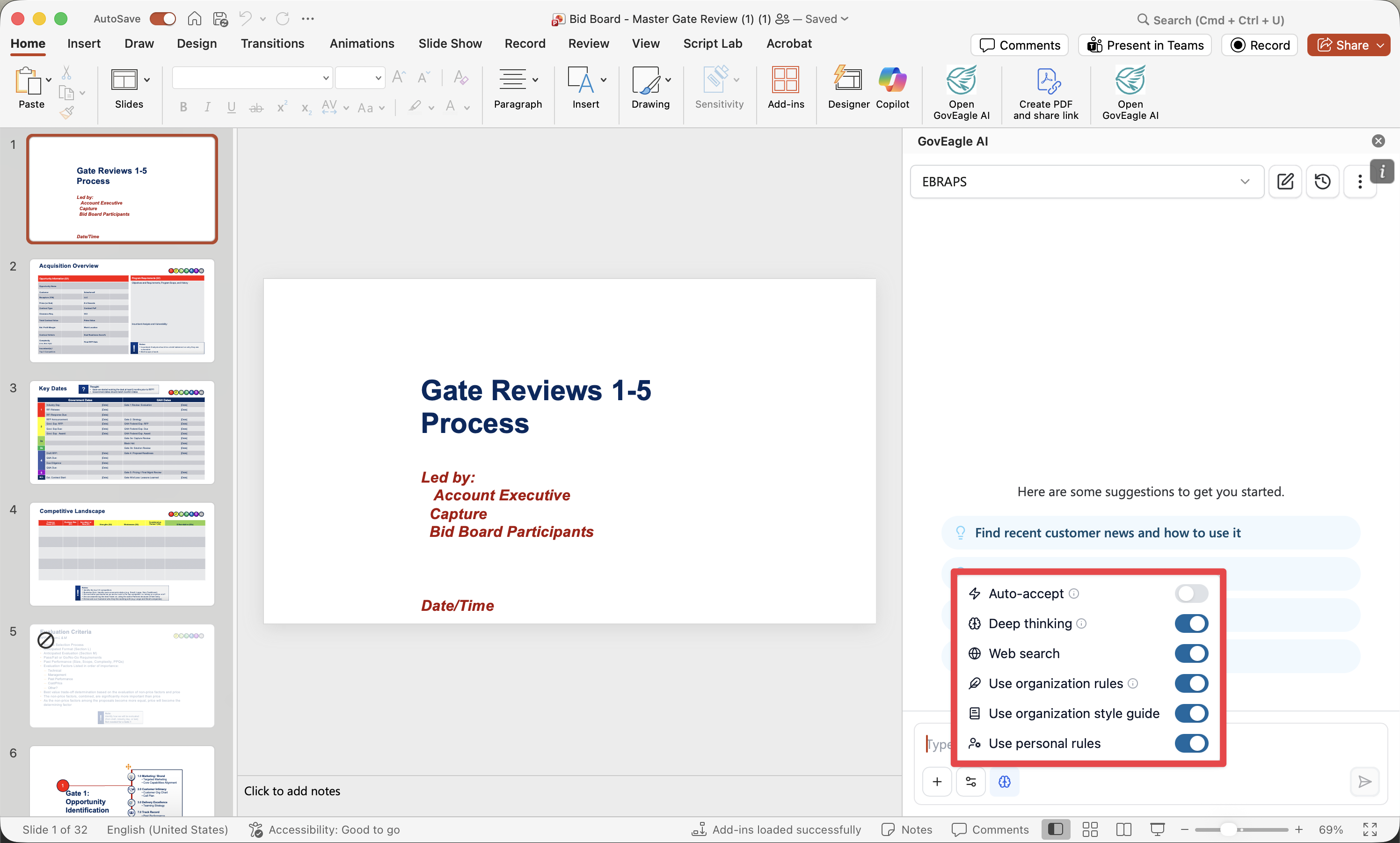
Much of the new behavior can be configured with two new chat settings: Auto-accept and Track changes.
Auto-accept changes from GovEagle: Enable Auto-accept to allow GovEagle to modify your document directly.
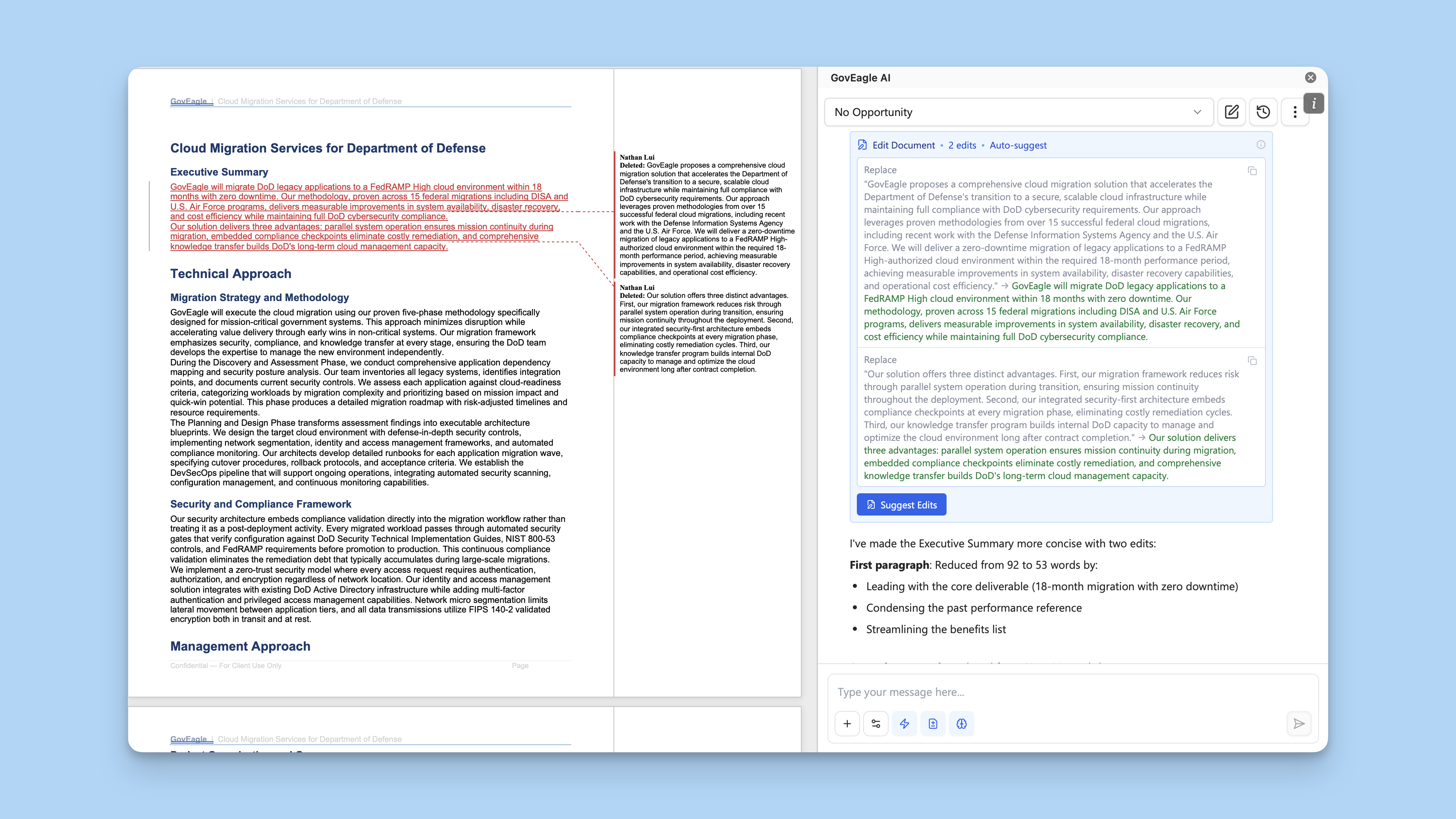
Track Changes: GovEagle can utilize Word's native Track Changes feature to redline your document and suggest edits.
With both Track changes and Auto-accept enabled, GovEagle will automatically mark up your Word file with suggested edits.
When Track changes are on but Auto-accept is off, GovEagle will suggest markups in the chat window. You choose whether or not to insert each markup suggestion.
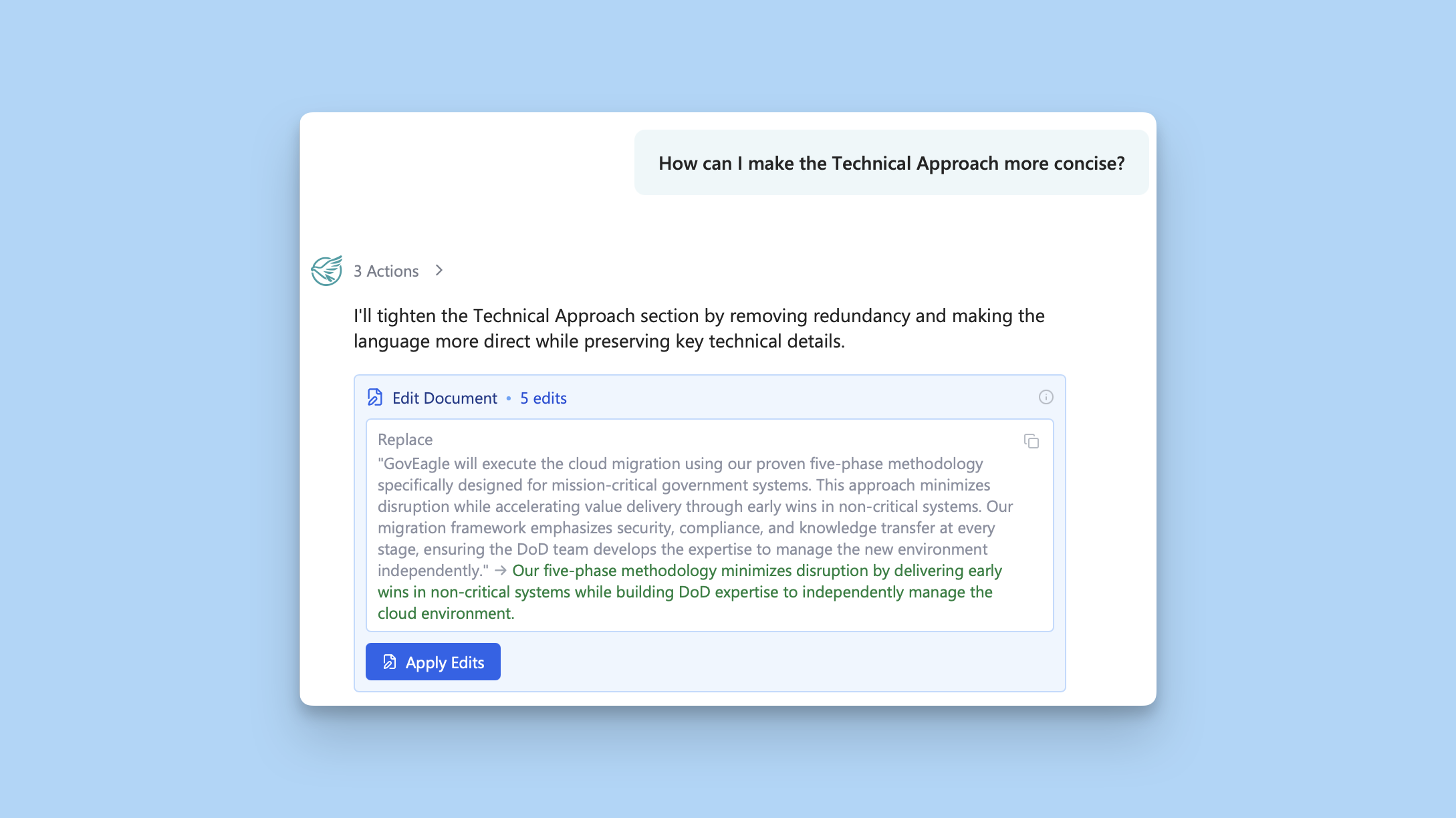
Review edits in the chat before applying: When you disable Auto-accept, GovEagle will show you edit blocks within the chat to suggest changes. You can go through these blocks one by one and click Apply Edits to apply document changes.
Personal and starred Prompt Library
Many teams have found value in building a shared repository of trusted, standardized prompts that ensure consistency and reduce repetitive typing. The Prompt Library is now even more tailored to how you work.
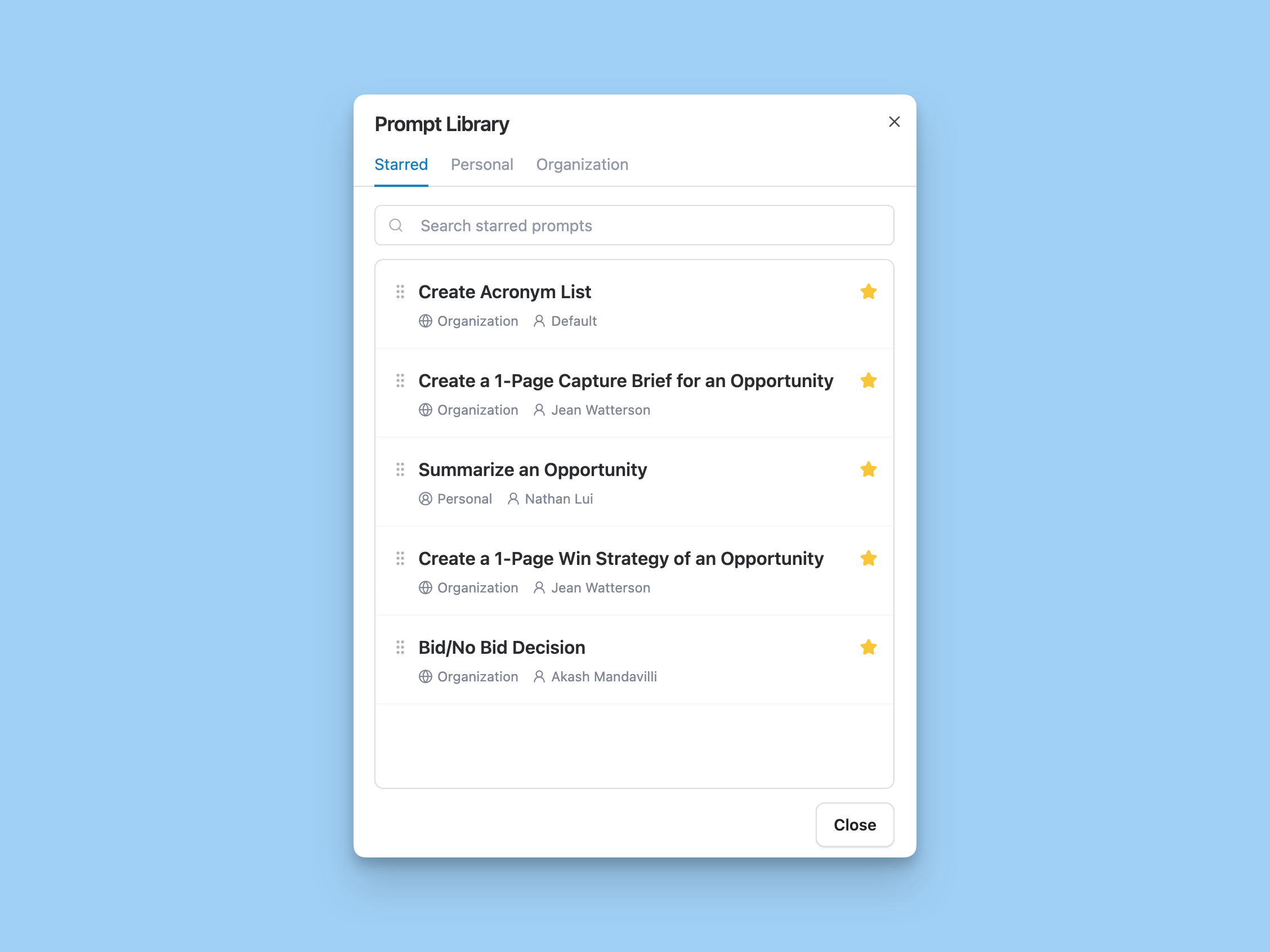
Personal Prompt Library: Every user can now create and manage their own personal prompts. Add personal prompts from Settings > Prompt Library, then access them from any chat input alongside your organization's library.
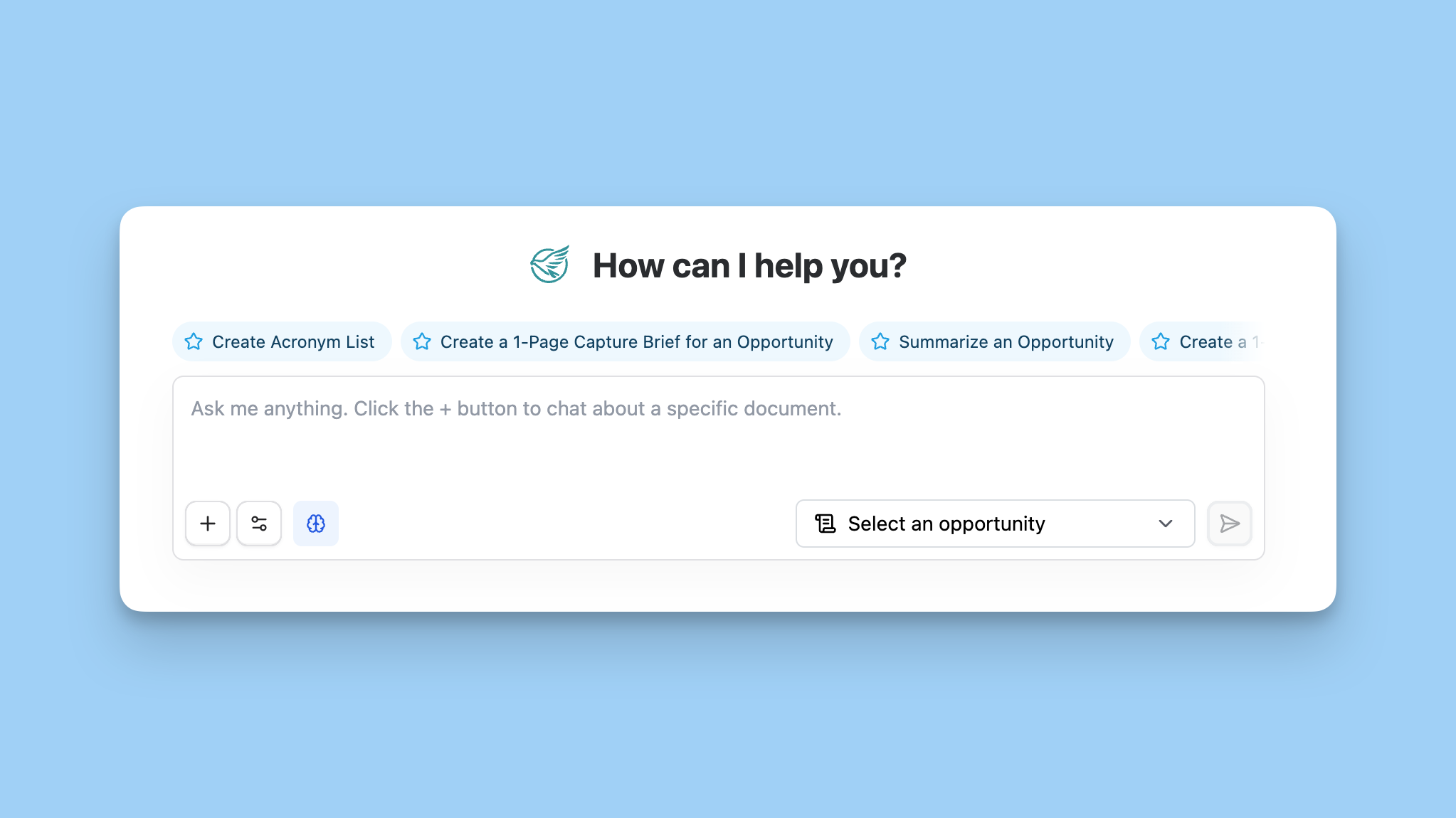
Starred Prompts: Star your most-used prompts from either library, and they'll appear in a dedicated favorites list. Starred prompts show up in the Prompt Library modal and directly above chat inputs on the homepage and in the add-ins, so your go-to prompts are always one click away.
Unified files and folders in Content Library
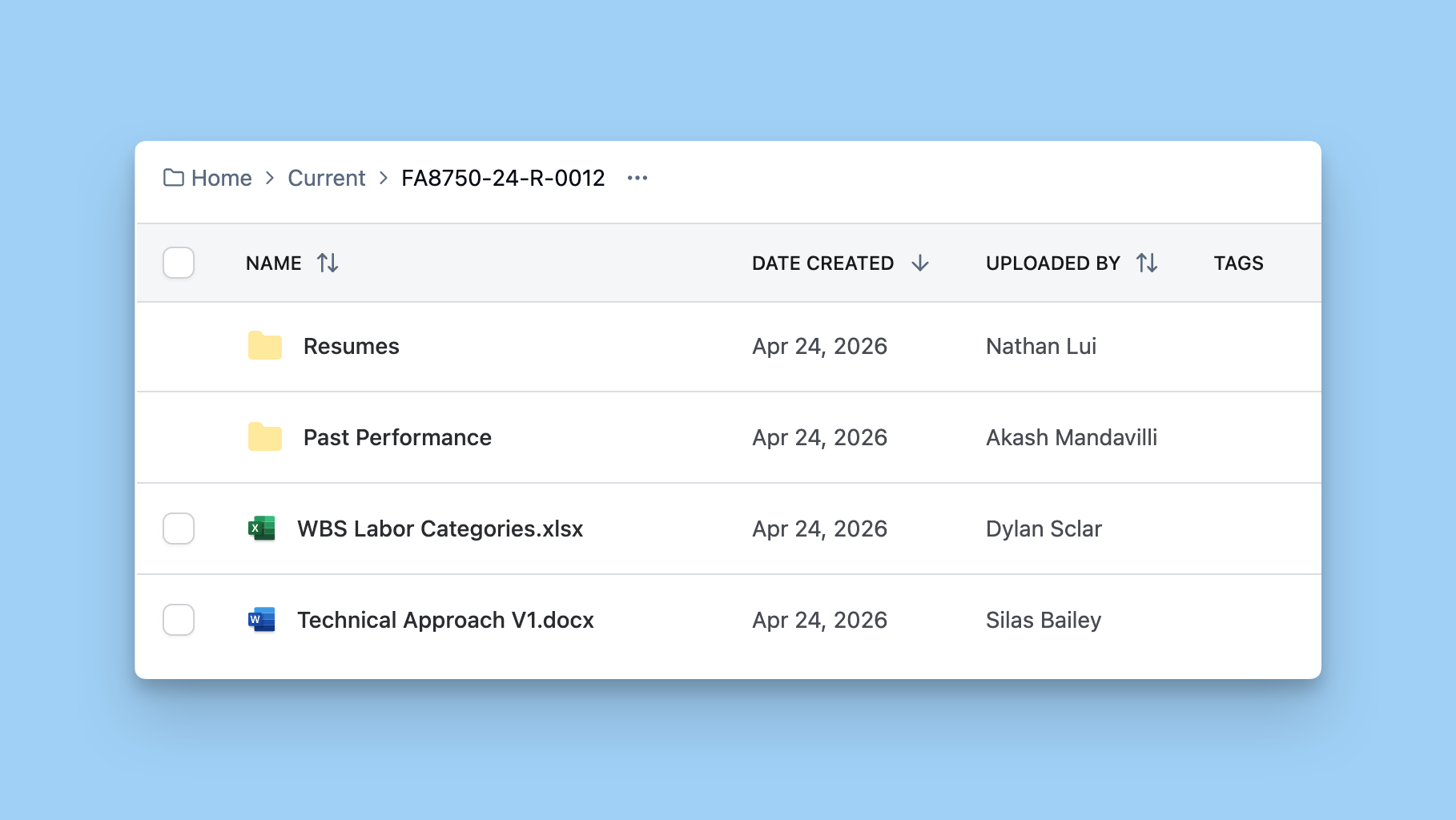
We've redesigned the Content Library to make it easier to navigate and organize your content. Files and folders now appear together in a single, unified list, just like you'd expect in any file browser.
March 31, 2026
GovEagle 2.0: The Assets Tab
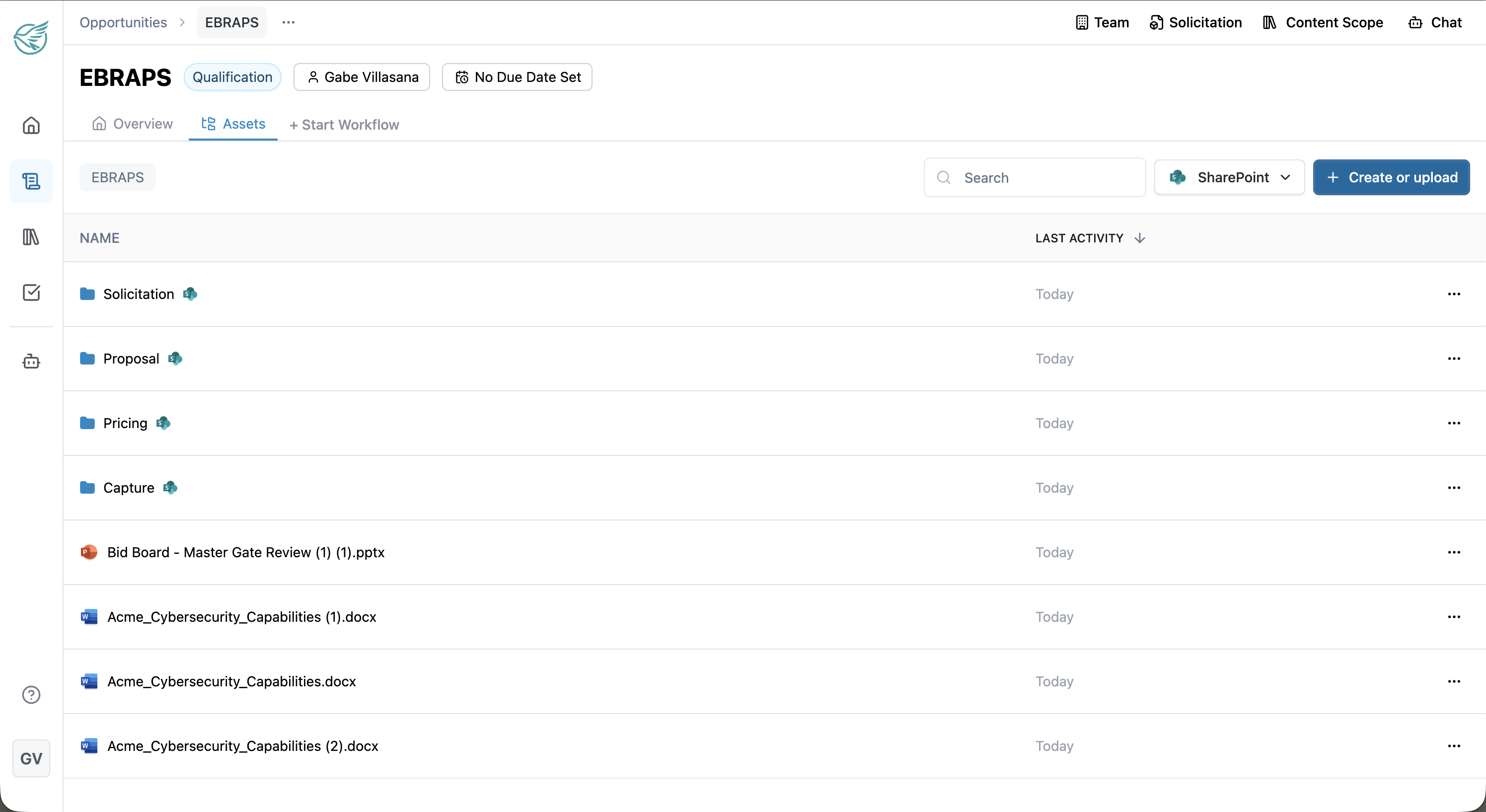
You can now link a SharePoint folder or site directly to any opportunity in GovEagle. Once connected, GovEagle has full context on every asset you've created — compliance matrices, capture materials, amendments, and more.
Here's what you can do:
Browse & navigate your SharePoint files without leaving GovEagle
Create folders and organize assets directly from the platform
Use asset templates to set up standardized folder structures for new opportunities
Ask the AI agent to pull from or write to your asset folders — e.g., "Use our compliance matrix to evaluate this pink team draft"
Everything stays in sync bidirectionally between GovEagle and SharePoint.
To get started, open any opportunity and click the new Assets tab. Your admin can configure the SharePoint connection in Organization Settings. Check out our help center doc for more info: here.
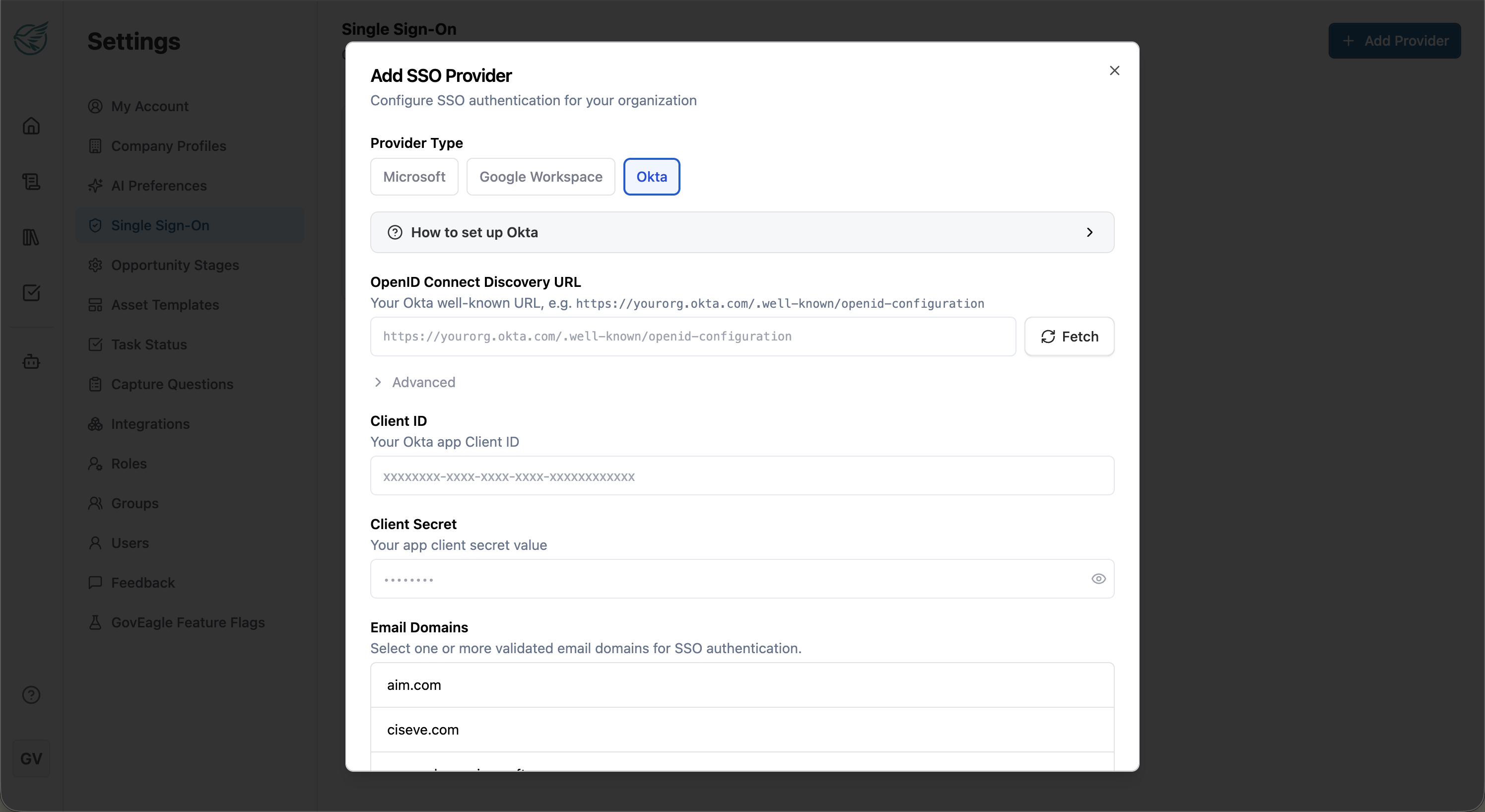
Okta SSO
We've added full Okta SSO support. If your organization already uses Okta, your admin can now connect it in just a few steps. Existing users will be automatically federated — no need to re-register.
This builds on the self-serve SSO we launched last month, giving you even more flexibility in how your team signs in. Setup guide: here.
AI Agent Upgrades
We've upgraded the AI engine and added several new capabilities:
Latest AI models — faster and more capable across the board
Deep thinking mode — better analysis of long, complex documents
Help Center tool — the agent can now search GovEagle support articles to answer your questions
Zip file support — upload zips directly into chat
Image chat in Word — paste or reference images in the Word Add-In
Your agent settings (deep thinking, auto-accept, etc.) now persist across sessions.
More Updates
Word Add-In: Table styling now matches your document's formatting
Excel Add-In: Major stability and performance improvements
@ Mentions: Improved suggestions for referencing documents and assets
Dashboard: Shared chats now show opportunity context, sortable user table, cleaner settings
Bug fixes: Improved chat copy, citation freshness, document processing, SharePoint & Salesforce sync reliability
February 27, 2026
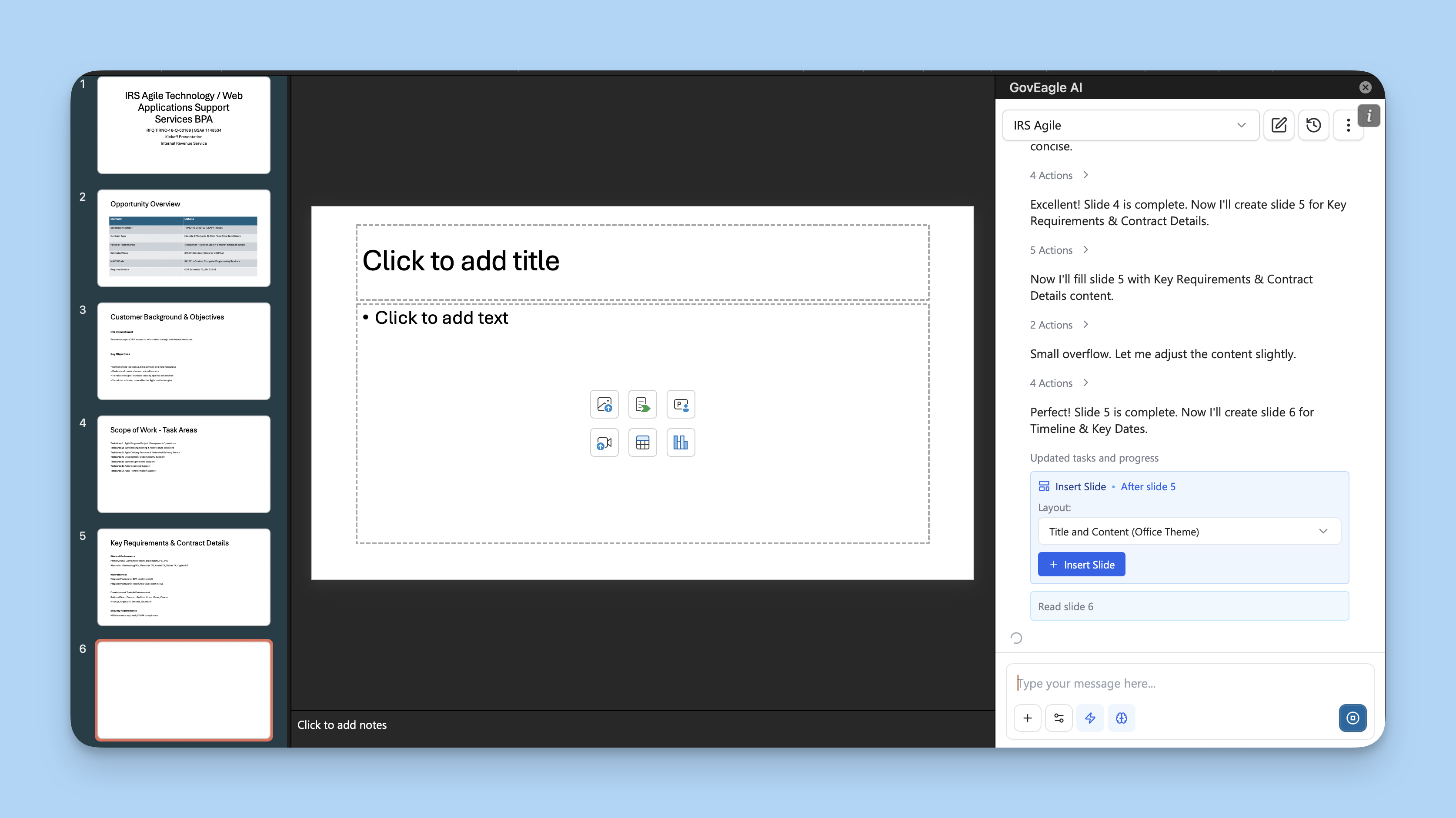
PowerPoint Add-In 2.0
GovEagle can now support automatically filling out gate decks, kickoff decks, oral presentations, and much more. Similar to the GovEagle Word Add-In, the PowerPoint Add-In is capable of tackling any task you give it.
To get started, open up the GovEagle Add-In within a PowerPoint, select an opportunity, and ask it something like "Fill out the first 3 slides of my capture deck". After that, you'll see GovEagle navigate the slides and do things like create/edit tables, generate images, format and design, create diagrams, and much more.
A few tips:
Toggle on "Auto-accept actions" to have GovEagle run autonomously. Otherwise you'll have to accept every action/suggestion
Toggle on Deep thinking for best results
GovEagle can read your slides and understand formatting, you can saw things like "review this current slide for compliance"
GovEagle can match your styles and template, just open up the Add-In on the template you want it to use.
Check out our latest help center doc for more info: here.
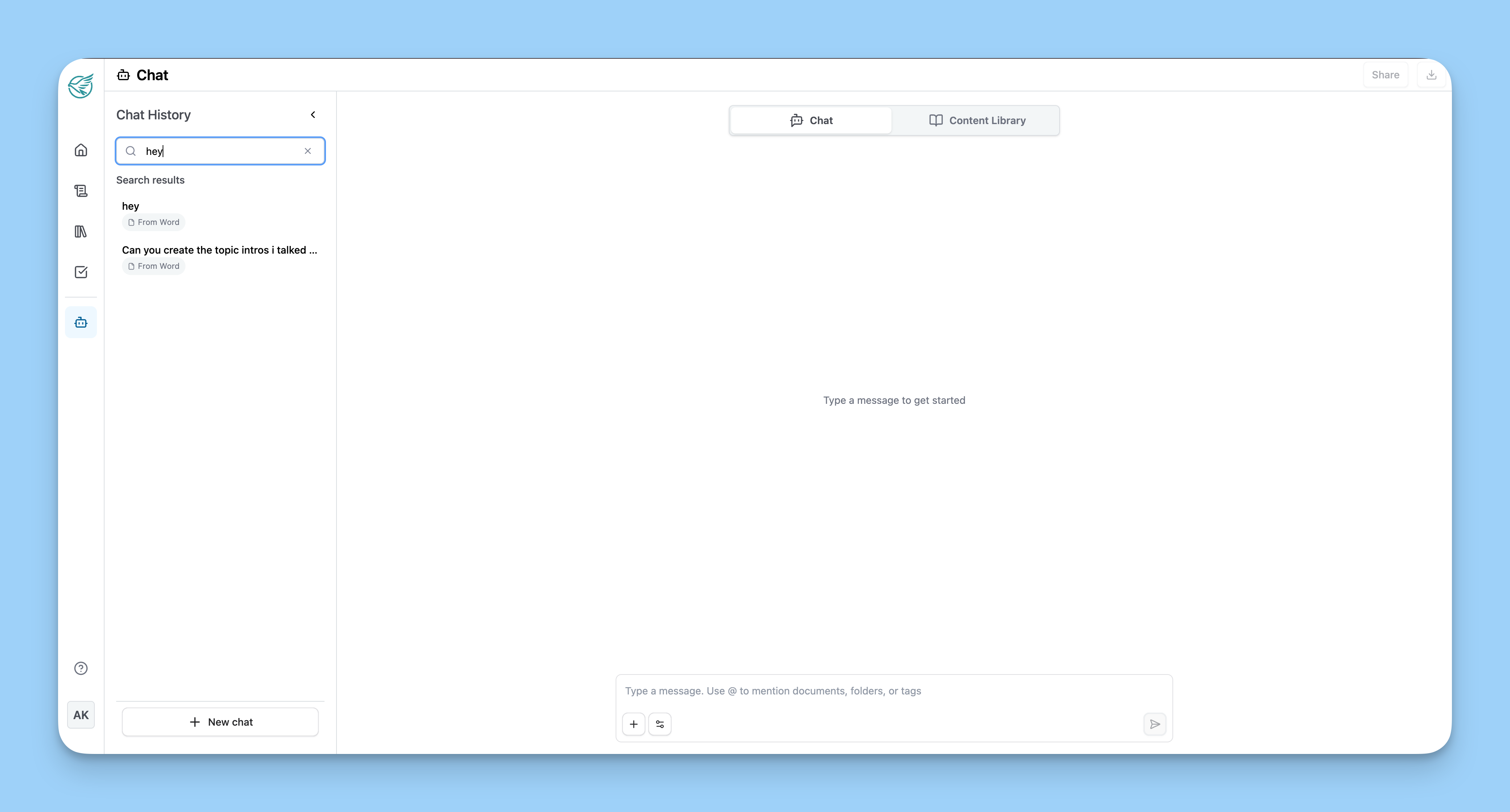
Chat Search
All of your chats are now easily searchable! Simply open up your chat history (Add-Ins or Web) and search for any previous messages/threads.
Single Sign-On (Self-serve)
You can now connect your own authentication provider for SSO.
Admins can follow the following steps to set up SSO: link. As always, if you have any trouble please reach out to us!
More Updates
Consolidated Agent Actions: Agent actions, toolcalls, etc now collapse into a toggle in the chat transcript ("N Actions") so that they don't clutter the chat transcript
Autogenerated Chat Names: All new chats get an LLM-generated name based on the first message
Bug fixes: We have pushed out fixes for multiple bugs impacting speed, search quality, and document processing.
January 29, 2026
Graphics
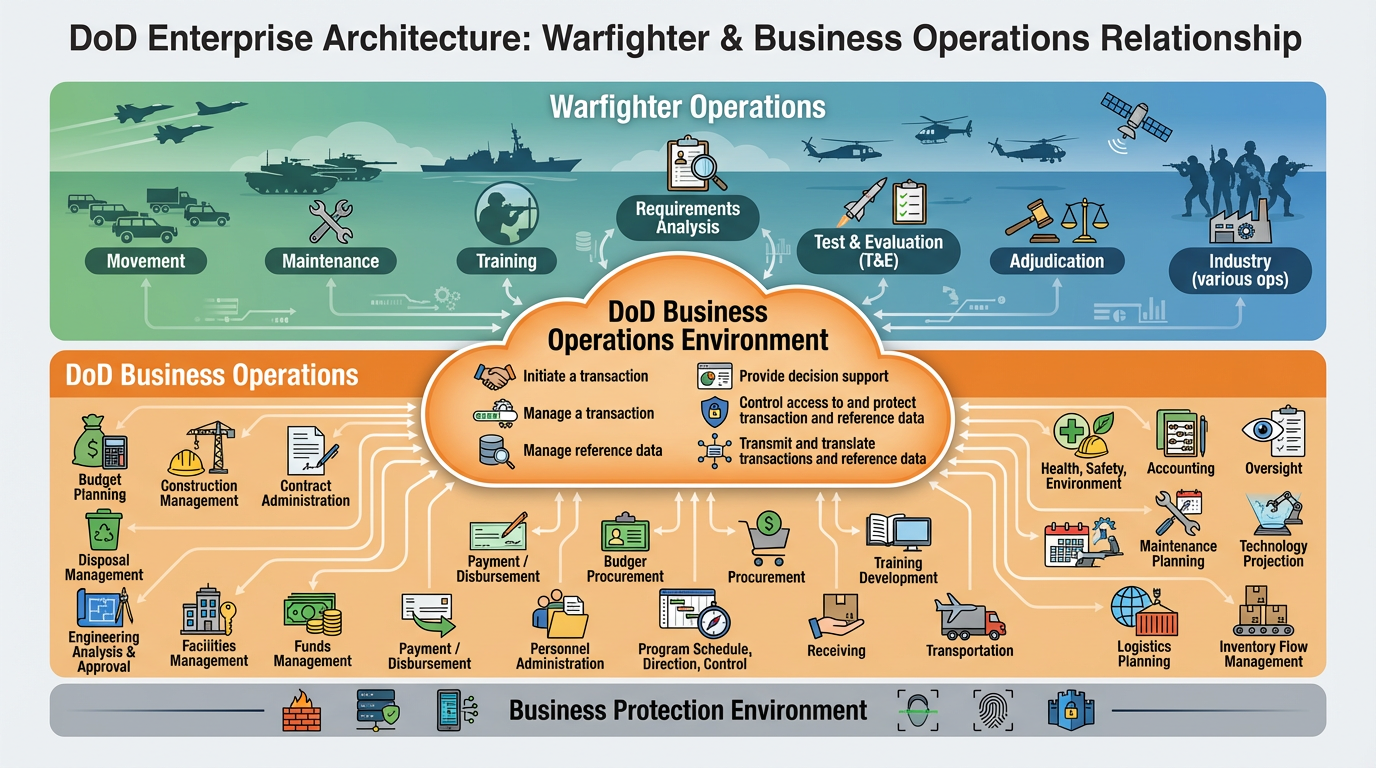
A widely requested feature that is finally ready for public access! GovEagle can now generate OV-1, SV-1, and other graphics. Take a look at the one GovEagle created below!
To get started, try asking GovEagle to create an OV-1 graphic for a proposal you're working on. This will work in our web application, Word Add-In, and PowerPoint Add-In.
Prompt Library
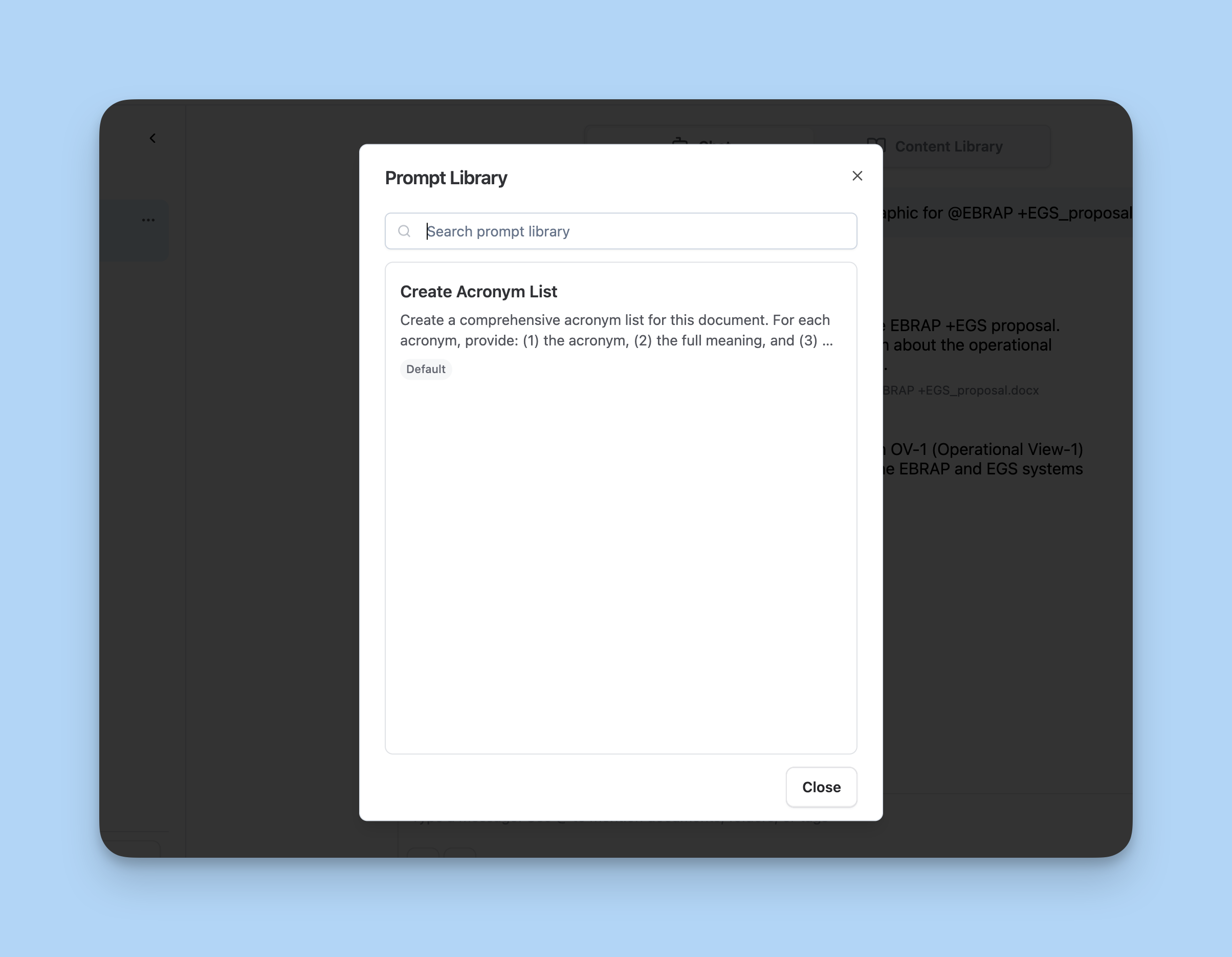
Another highly requested feature! Admins can now create and share prompts across the entire organization.
To create a prompt, send your prompt and hit the "Save to Prompt Library" button under the message. Alternatively, you can navigate Settings > AI Preferences> Prompt Library
To access saved prompts, hit the "+" button and "Browse prompt library" to see prompts your organization has already created. Here's some more info.
Salesforce Integration (Self-serve)
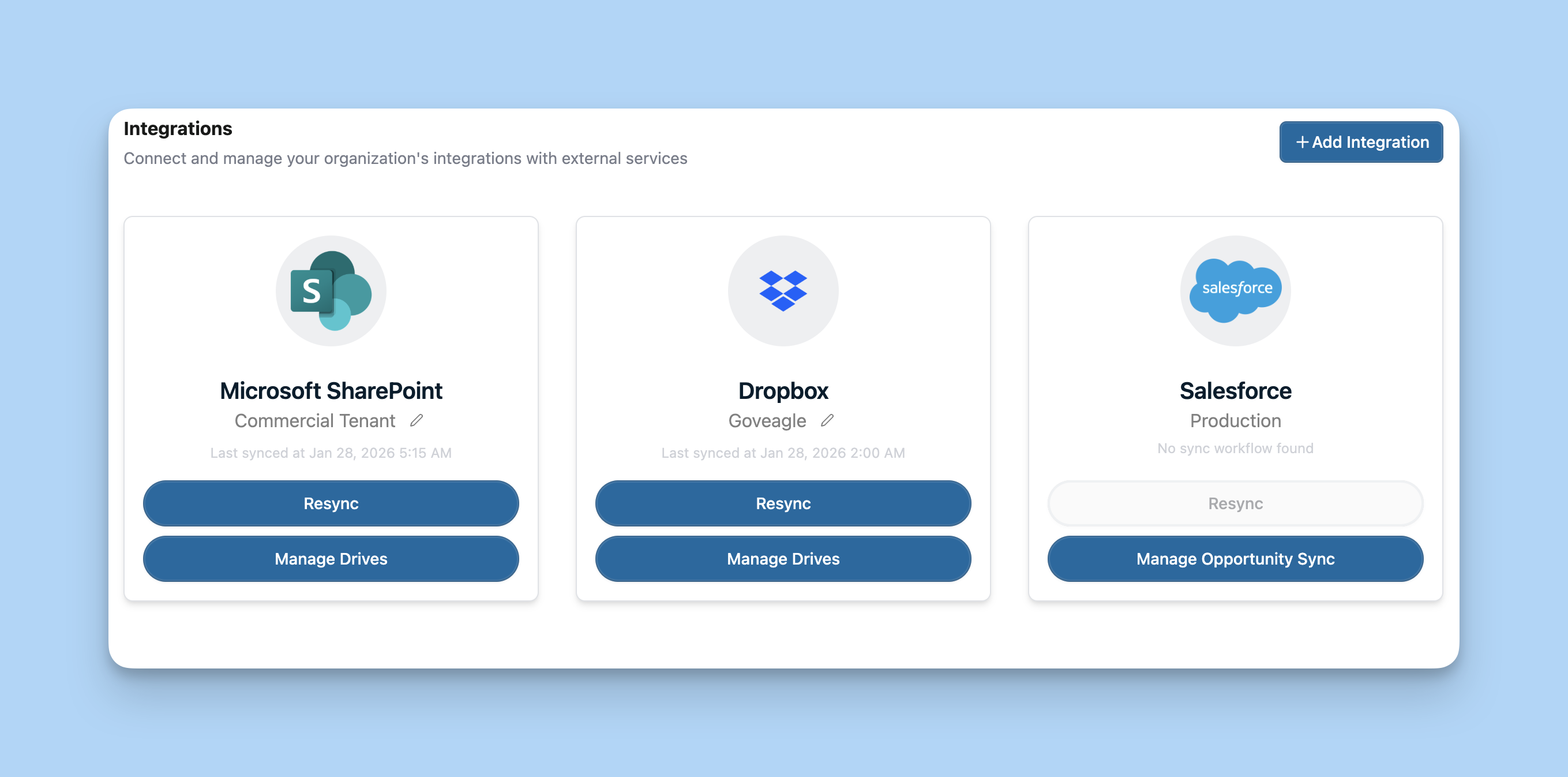
You can now connect your Salesforce/Technomile instance to GovEagle on your own. This will allow GovEagle to sync pipeline stages with your Salesforce instance.
Admins can set the integration up by navigating to Settings -> Integrations. Check out this new article to learn more.
Deep Thinking Mode
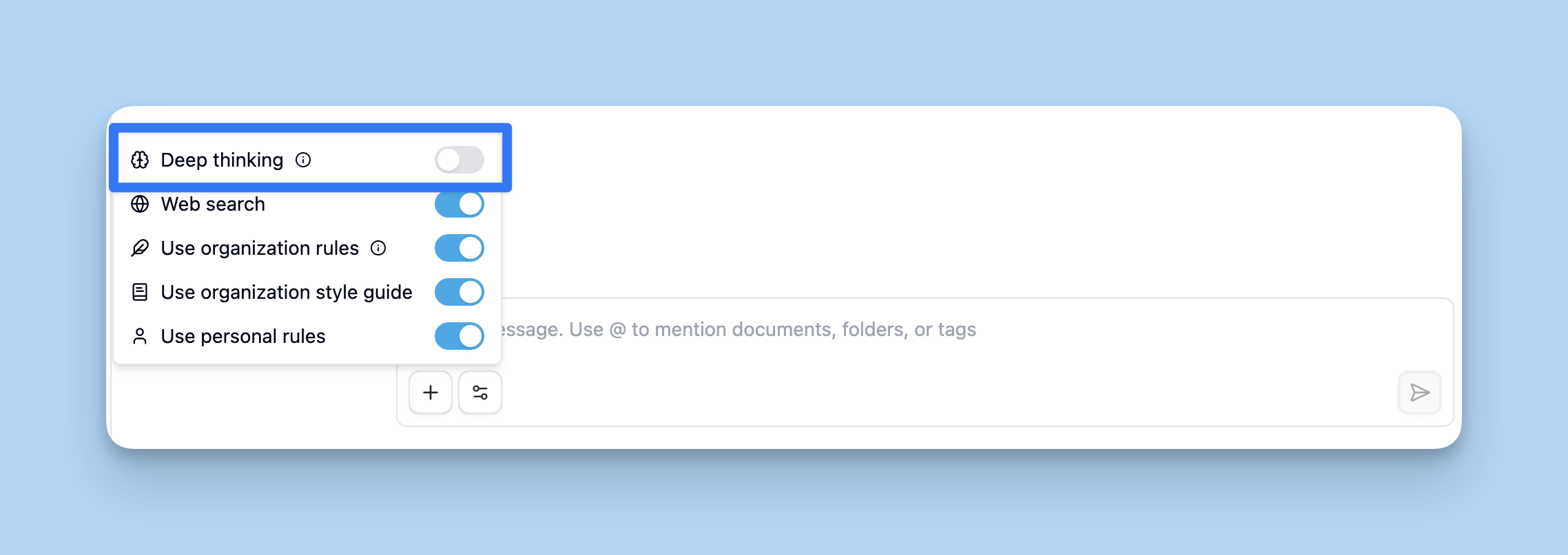
We've given GovEagle some additional thinking capabilities that allow it to tackle far more complicated scenarios.
To try this mode, toggle on deep thinking from the "Chat Settings" button on any chat input. Note: GovEagle can take up to 20 minutes to respond in this mode.
More updates
Google Drive Integration: You can now connect any set of folders or subfolders directly from Google Drive. Accessible from the GovEagle Integrations menu.
Improved Thinking Messages: You can now click on thinking messages to learn more about GovEagle's thought process and understand the assumptions it made. If GovEagle gave you something you didn't expect, this is the first place to look.
Improved Citations: GovEagle will now do a better job of adding and linking citations to responses.
January 15, 2025
Permissions
We've completely overhauled access control in GovEagle with a new granular permissions system. You now have precise control over what each user can do and what they can access.
The new permissions system gives you flexibility to match how your teams actually work—whether you need to restrict sensitive pricing data, limit content library access to specific groups, or create specialized roles for capture managers versus technical writers.
Custom Roles
You can now create custom roles with tailored permission sets beyond the default User, Content Manager, and Admin roles.
From the Roles tab in Settings, create roles like "Sub-Admin" or "Proposal Manager" with exactly the permissions your team needs—whether that's managing content but not users, or configuring opportunities but not integrations.
Groups
You can now create groups within GovEagle. This is helpful to organize users into different buckets such as Contracts, Finance, Delivery, and more.
PowerPoint Add-In
We've officially released the PowerPoint Add-In! Early adopters have been using the PowerPoint add-in to assist with capture decks, oral presentations, and kickoff briefs.