In the chat application, there are a few configurations that exist across the web and add-ons (Excel, PPT, Word)
Deep thinking
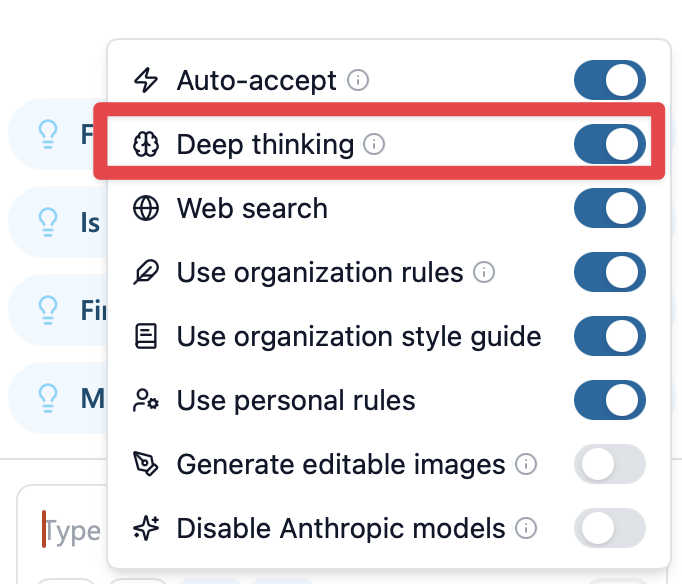
This configuration increases the context of the GovEagle agent dramatically and is recommended for larger tasks such as building out compliance matrixes or drafting up outlines. It also provides the agent with a scratchpad tool which allows the agent to save its thoughts so that it doesn’t lose track of the main objective as well as additional objectives.
Additional Shared Configurations
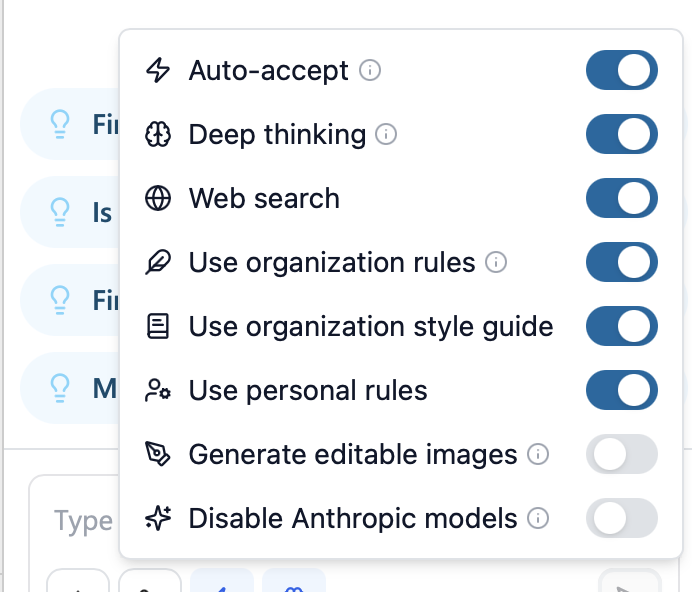
GovEagle also has the following shared configurations:
Web search - This allows the GovEagle agent to search the internet for content.
Use organization rules/Use organization style guide - Applies the organizational rules set by admins.
Use personal rules - This applies personal rules set by the current user into the agent context.
Generate SVGs/editable images - This allows the GovEagle agent to generate SVGs that are editable. To alter SVGs, open them in an image editor. You can also insert the SVG into a PowerPoint slide, right-click it, select “Convert to Shape”, then modify the shapes that comprise the SVG.
Disable Anthropic models - This prevents GovEagle’s agent from using Anthropic models in any scenario.
Some settings that are only available within Microsoft Office add-ons. One example is auto-accept mode.
Auto-accept
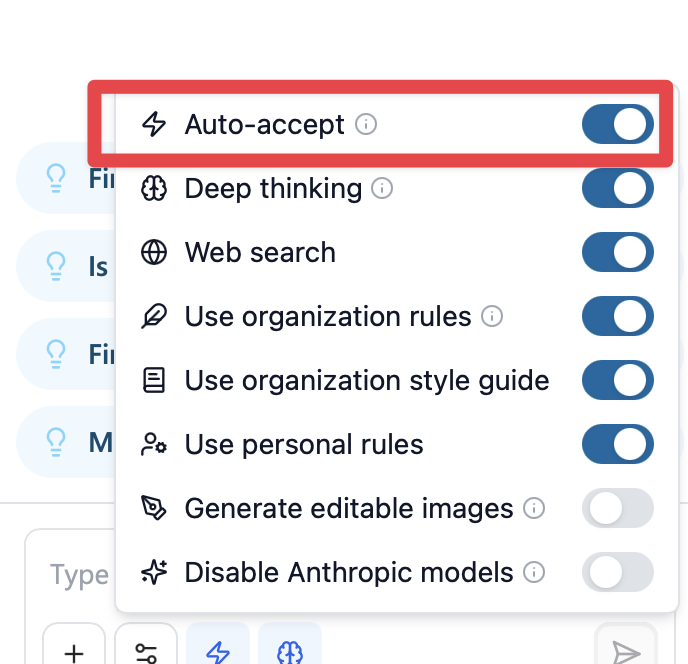
This mode allows the agent to automatically apply changes to the open document, slide deck, or spreadsheet. For Powerpoint, this could mean creating slides or textboxes in slides. For Word, this could be inserting tables and paragraphs in the Word document. For Excel, this could be inserting compliance matrix rows and coloring columns.
Use this mode with caution since it can overwrite existing content. However, this mode can be useful for making large scale changes.